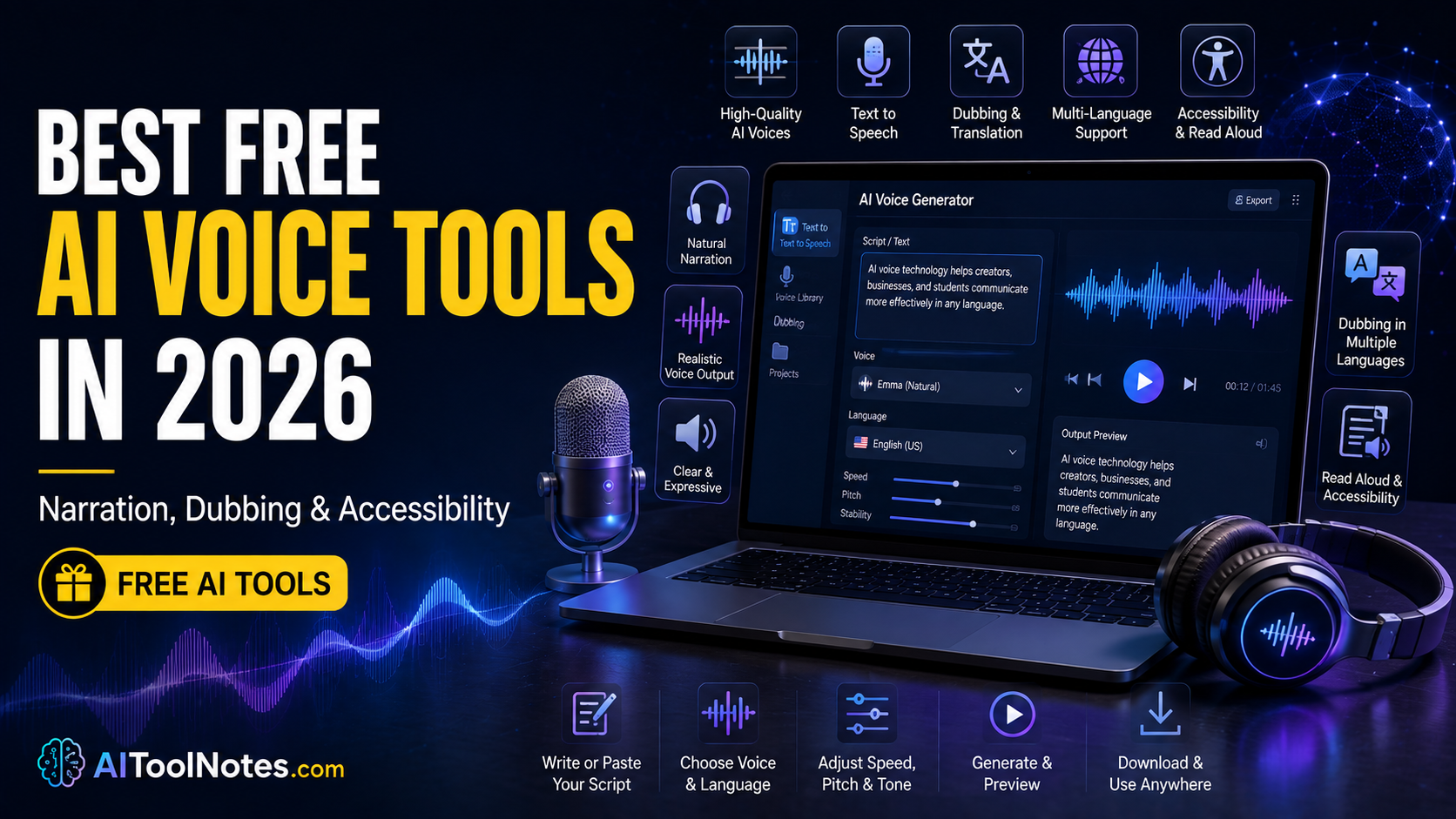
Finding a reliable voice for a YouTube script, podcast intro, or study notes used to mean hiring a narrator or recording yourself. Today, AI text-to-speech tools generate usable audio in seconds. Creators use them for narration, video voiceovers, and multilingual reach. Students and accessibility users rely on them to listen instead of read. Free options exist, but limits on minutes, commercial rights, and quality vary widely. This guide compares the strongest free or free-tier tools available in 2026 so you can match the right one to your needs without guessing.
Quick Comparison Table
| Tool | Best For | Free Access | Languages | Voice Cloning | Dubbing | Main Limit | Rating |
|---|---|---|---|---|---|---|---|
| ElevenLabs | Natural narration | 10,000 credits/month | 30+ | Limited (design only) | Paid | ~10 min audio, no commercial | 8.5/10 |
| Microsoft Azure Speech | High volume TTS | 500,000 neural chars/month | Many | Custom (paid) | Limited | Permanent free quota | 8/10 |
| Google Cloud TTS | Scale + quality | 4M standard + 1M neural/mo | Many | Limited | No | Permanent free tier | 8/10 |
| Amazon Polly | AWS users / volume | 5M standard + 1M neural | Many | No | No | 12-month free tier | 7.5/10 |
| CapCut AI Voice | Video creators | Built-in free TTS | Multiple | Pro only | Basic | Integrated in editor | 7.5/10 |
| NaturalReader | Accessibility / students | ~20 min/day premium | 20+ | No | No | Download limits on free | 7/10 |
| Piper / Kokoro | Local / privacy | Unlimited (self-hosted) | 8–40+ | Limited / none | No | Hardware & setup | 8/10 |
Ratings focus on free-tier usefulness, not paid quality.
How We Evaluated These AI Voice Tools
We checked official pricing pages, documentation, and recent independent tests. Key factors included naturalness, pronunciation accuracy, language and accent support, emotional range, free minutes or characters, commercial rights, download ease, and real workflow fit. A slightly less polished voice can still rank higher if it offers more free minutes or clearer commercial terms. Dubbing features were separated from basic text-to-speech. Limits that are not publicly fixed are noted as such.
Best Free AI Voice Tools in 2026: Detailed Reviews
ElevenLabs
ElevenLabs produces some of the most natural AI voices available. It supports text-to-speech, voice design, and limited free-tier experimentation.
What You Can Do for Free: Generate speech from text, design synthetic voices, and download audio. Instant voice cloning and full commercial rights require paid plans. Dubbing tools are restricted on free.
Free Tier and Limits: 10,000 credits per month (roughly 8–10 minutes of audio). Credits do not roll over. Attribution is required. No commercial license.
Voice Quality: High naturalness, good pacing, and strong emotional range on newer models. Pronunciation is reliable for common languages.
Languages and Accents: 30+ languages with multiple accents.
Best Use Cases: Short YouTube narration, podcast intros, personal projects, and testing realistic voices.
Pros
- Industry-leading naturalness and emotion
- Extensive synthetic voice library
- Clean, intuitive web interface
Cons
- Low monthly credit limit (~10 min audio)
- No commercial rights on free tier
- Attribution required for public use
Paid Upgrade: Starter unlocks commercial rights, more credits, and instant voice cloning.
Microsoft Azure AI Speech
Azure offers neural text-to-speech with a permanent free monthly quota suitable for developers and higher-volume personal use.
What You Can Do for Free: Convert text to natural speech via API or tools. Custom voices and advanced features sit behind paid tiers.
Free Tier and Limits: 500,000 neural characters per month on the free (F0) tier. This is ongoing, not a trial. Concurrent requests are limited.
Voice Quality: Clear neural voices with solid pronunciation. Less expressive than top consumer tools but reliable for long-form content.
Languages and Accents: Broad coverage including many regional accents.
Best Use Cases: E-learning modules, accessibility apps, presentations, and developer prototypes.
Pros
- Generous permanent free quota (500K chars/month)
- High audio fidelity and consistent pronunciation
- Extensive global language and accent support
Cons
- Requires Azure account setup and API knowledge
- Less beginner-friendly than consumer apps
- Limited emotion controls on free tier
Paid Upgrade: Standard tier removes concurrent limits and adds more features.
Google Cloud Text-to-Speech
Google provides one of the more generous permanent free tiers among cloud services.
What You Can Do for Free: Generate Standard, WaveNet, Neural2, and limited higher-tier audio. SSML support improves control over pauses and emphasis.
Free Tier and Limits: 4 million Standard characters plus 1 million WaveNet/Neural characters per month (permanent free tier). Additional Studio characters are lower.
Voice Quality: Natural for Standard and WaveNet voices. Good pacing for narration.
Languages and Accents: Extensive multilingual support.
Best Use Cases: Multilingual content, high-volume testing, accessibility tools, and backend integrations.
Pros
- Massive free allowance (4M standard + 1M neural chars)
- Reliable, battle-tested voice quality
- Permanent monthly recurring free tier
Cons
- Technical cloud console setup required
- Best voices consume the neural quota faster
Paid Upgrade: Pay-as-you-go beyond free quotas.
Amazon Polly
Amazon Polly turns text into lifelike speech using advanced deep learning technologies. It offers generous volume during the AWS Free Tier period.
What You Can Do for Free: Convert text to speech with standard and neural voices, customize pronunciation using lexicons, and stream audio.
Free Tier and Limits: 5 million standard characters and 1 million neural characters per month for the first 12 months with an AWS account. After 12 months, standard pay-as-you-go rates apply.
Voice Quality: Clean, highly intelligible, and natural on neural voices. Standard voices are slightly more robotic.
Languages and Accents: Extensive multi-language and multi-dialect support.
Best Use Cases: AWS developers, podcast narration, interactive voice response (IVR), and high-volume automated audio.
Pros
- High character limits in the 12-month window
- Seamless integration with AWS services (S3, Lambda)
- SSML and speech marks support
Cons
- Free tier expires after 12 months
- Requires AWS credit card verification to set up
Paid Upgrade: Pay-as-you-go pricing per million characters processed.
CapCut AI Voice Tools
CapCut integrates text-to-speech directly into its free video editor, making it practical for short-form creators.
What You Can Do for Free: Add AI narration inside video projects, choose from many voices, and export without leaving the editor. Advanced cloning is Pro-only. Pair this with our guide on Best AI Video Editing Tools in 2026 for complete video workflows.
Free Tier and Limits: Core TTS is available on free accounts. Some premium voices or heavy AI features may use credits or require Pro. Exact limits can vary by region and account.
Voice Quality: Usable for social videos and explainers. Not as refined as dedicated voice platforms for long narration.
Languages and Accents: Multiple languages supported.
Best Use Cases: YouTube Shorts, Reels, TikTok, educational clips, and faceless channels.
Pros
- Seamless video workflow with zero export/import friction
- No separate audio download step needed
- Very easy for beginners and social creators
Cons
- Voice quality trails dedicated TTS platforms
- Feature availability can differ by platform/region
Paid Upgrade: Pro unlocks more AI features, higher quality exports, and voice cloning.
NaturalReader
NaturalReader focuses on reading documents, web pages, and study materials aloud.
What You Can Do for Free: Listen to text with basic and limited premium voices. Some download and OCR features are restricted.
Free Tier and Limits: Around 20 minutes per day of premium voices (exact figures can vary). Basic voices have fewer restrictions. Downloads often require paid plans.
Voice Quality: Acceptable for listening; premium voices improve naturalness.
Languages and Accents: 20+ languages.
Best Use Cases: Students, accessibility reading, document review, and language practice.
Pros
- Useful daily free listening allowance
- Strong document and PDF upload support
- Convenient browser extension and mobile sync
Cons
- Free tier restricts audio file downloads (MP3)
- Voices less expressive than dedicated narration engines
Paid Upgrade: Unlocks higher daily limits, better voices, and MP3 exports.
Piper and Kokoro (Local / Open-Source)
These open-source models run on your own computer with no monthly credits.
What You Can Do for Free: Generate speech offline once installed. Piper supports many languages; Kokoro offers strong quality in a small model.
Free Tier and Limits: Truly unlimited after setup. No cloud quotas.
Voice Quality: Kokoro ranks highly for its size. Piper is clear and fast on modest hardware.
Languages and Accents: Piper: dozens of languages. Kokoro: focused set including English and several others.
Best Use Cases: Privacy-sensitive work, offline use, developers, and long-form projects without credit worries.
Pros
- No recurring limits or cloud credit costs
- Complete privacy with local on-device generation
- Commercial-friendly open-source licenses (MIT / Apache)
Cons
- Requires terminal setup and local hardware
- Steeper learning curve than web apps
Paid Upgrade: None required, though hosted versions of similar models exist.
Best Free AI Voice Tools by Use Case
🏆 Best Overall
ElevenLabs for quality; Azure or Google for volume
🎙️ Best for Narration
ElevenLabs
📺 Best for YouTube
CapCut (integrated) or ElevenLabs (quality)
🎬 Best for Video Voiceovers
CapCut or Canva’s built-in TTS
🌐 Best for Dubbing
Paid ElevenLabs or specialized tools (see our Multilingual Voiceovers guide)
🗣️ Best for Multilingual
Google Cloud or Azure
👁️ Best for Accessibility
NaturalReader or Speechify free tiers
🎓 Best for Students
NaturalReader
📚 Best for E-Learning
Azure or Google Cloud
🎧 Best for Podcasts
ElevenLabs for short segments
📖 Best for Audiobooks
Local tools or higher cloud quotas for length
👥 Best for Voice Cloning
Limited on free; paid ElevenLabs or local models
✨ Best Natural Voices
ElevenLabs
🌱 Best for Beginners
CapCut or NaturalReader
🔓 Best Open-Source Option
Kokoro or Piper
💻 Best Local AI Voice Tool
Piper / Kokoro
🚫 Best Without Subscription
Local open-source models
Best Free AI Voice Tools for YouTube and Video Creators
CapCut stands out because TTS lives inside the editor—no extra export step. ElevenLabs delivers higher naturalness for longer narration or faceless channels, though the monthly limit restricts volume. Canva’s free AI voice works for short social clips. Always confirm commercial rights before monetizing. Naturalness, easy downloads, and clear licensing matter more than the absolute highest quality for most short-form work. If you're building complete multimedia productions, consider pairing voices with our reviews of Murf AI and Udio AI Music Generator for background audio.
Best Free AI Voice Tools for Dubbing
True AI video dubbing (speech translation + lip sync + speaker preservation) is mostly paid. Free tiers usually offer text-to-speech in another language after manual translation. CapCut and similar editors can replace audio tracks easily. Full automated dubbing pipelines remain limited on free plans. Distinguish basic multilingual TTS from complete video dubbing tools. For more on automated translation pipelines, read our breakdown of AI Avatar Tools for Multilingual Voiceovers.
Best Free AI Voice Tools for Accessibility
AI voices help people listen to web pages, documents, and learning materials. NaturalReader and similar readers support adjustable speed and multiple languages. They complement, rather than replace, established screen readers. Useful features include clear pronunciation, customizable pace, and document upload. These tools support reading difficulty and language learning without medical claims.
AI Voice Cloning: What You Need to Know
Voice cloning creates a synthetic version of a real voice from short audio samples. Consent is essential. Using someone else’s voice without permission risks impersonation, fraud, and platform bans. Most free tiers restrict or disable cloning. Only clone voices you own or have explicit permission to use. Platforms add safeguards, but responsibility remains with the user. To learn about security and voice verification, explore our guide on Voice AI Tools for Fraud Detection.
Are Free AI Voice Tools Really Free?
Free plans give limited monthly credits or minutes. Free trials expire. Open-source tools are free after setup but need hardware. Cloud free tiers often restrict commercial use or require attribution. Providers limit free access because generating high-quality speech costs compute and bandwidth. Always read the current terms before committing to a production pipeline.
Online AI Voice Tools vs Local/Open-Source Voice Tools
Online tools need only a browser, update automatically, and offer polished interfaces—but they impose credits, accounts, and usage rules. Local tools (Piper, Kokoro) give unlimited generation and privacy once installed. They demand technical comfort and sufficient hardware. Choose online for speed and ease; choose local for control and no quotas.
Commercial Use and Copyright Considerations
Free-generated audio often cannot be used in monetized YouTube videos, client work, ads, or paid products. Check each platform’s license for commercial rights, attribution, and output ownership. Terms can differ by region or plan. Verify the official policy before publishing or selling content that includes AI voices. Also check out our companion guides on Best Free AI Image Generators and Best Free AI Writing Tools to assemble a full zero-cost creative toolkit.
10 Tips for Getting Better Results From AI Voice Tools
- Write conversational sentences instead of formal or robotic scripts.
- Use punctuation and short paragraphs to create natural pauses.
- Split long scripts into sections and generate them separately.
- Test difficult names and technical terms before the full run.
- Match the voice gender, age, and accent to your audience.
- Adjust speed and pitch when the tool allows it.
- Preview key sections first to catch pronunciation issues.
- Confirm commercial-use rights before any public or paid release.
- Never clone a voice without clear permission.
- Keep original scripts and audio backups for easy future re-generation.
Frequently Asked Questions
Conclusion
The best free AI voice tools in 2026 depend on your goal. ElevenLabs delivers the most natural sound for short projects. Azure and Google Cloud supply far more free characters for volume. CapCut simplifies video voiceovers. NaturalReader supports accessibility and study. Local models like Piper and Kokoro remove cloud limits entirely. Free tiers are useful, yet they come with real restrictions on minutes, rights, and features. Always verify current limits and licensing before publishing or monetizing AI-generated audio. Choose the tool that fits your actual workflow rather than the one with the flashiest marketing.