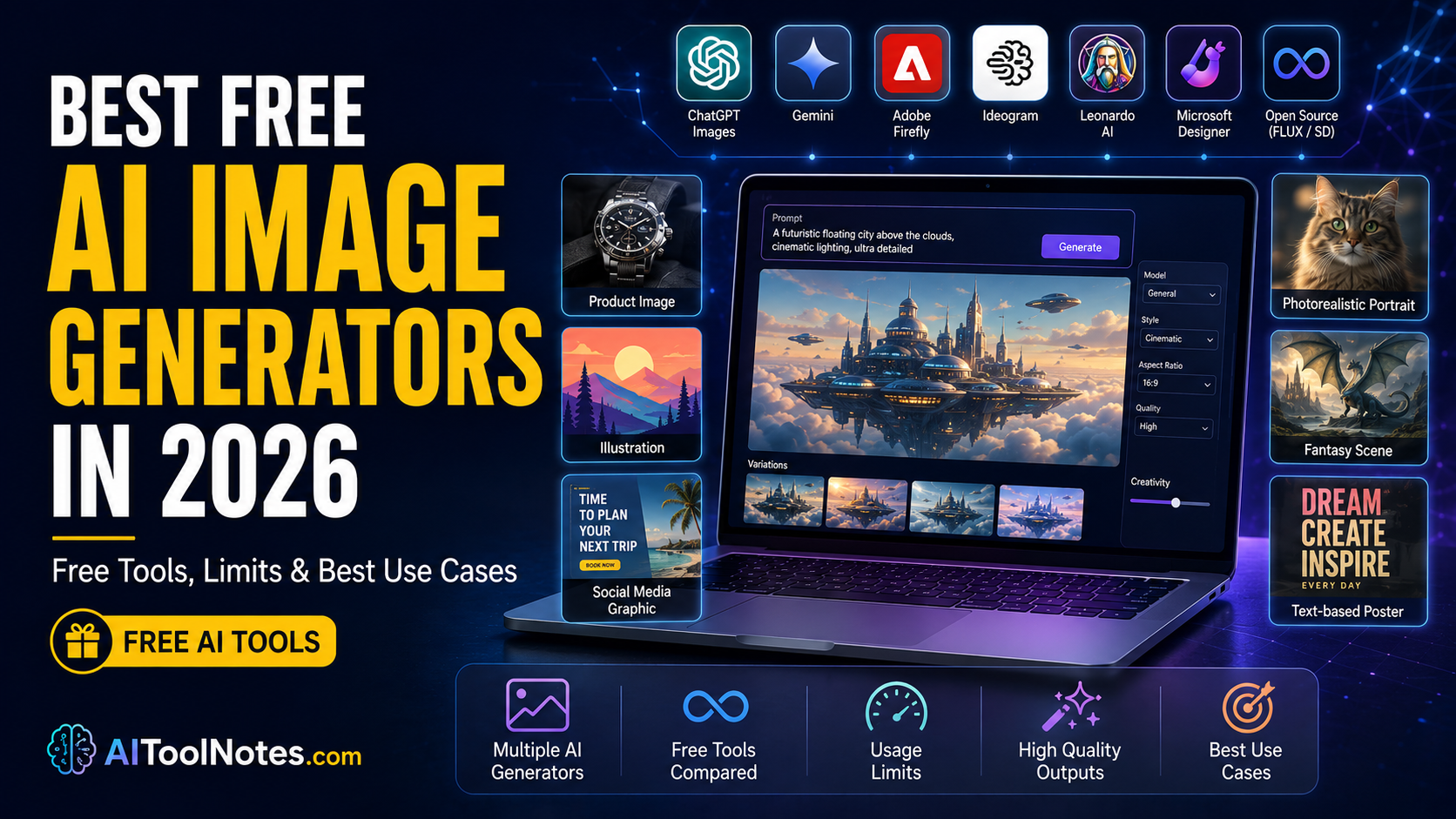
Creating custom images used to require design skills, stock photo subscriptions, or expensive software. In 2026, free AI image generators let almost anyone turn a text description into a usable picture in seconds. Quality has risen sharply. Many tools now handle photorealism, artistic styles, and even readable text inside images.
“Free” still comes with important differences. Some services give a handful of generations per day. Others offer daily tokens that reset. A few let you run models on your own computer with no platform limits. Watermarks, commercial-use rules, public galleries, and resolution caps also vary. Understanding these details helps you choose a tool that actually fits your needs instead of hitting a wall after a few tries.
This guide covers the strongest free options available right now. It focuses on what you can really do without paying, the practical limits, image quality, and best uses for bloggers, creators, students, and small businesses.
Quick Comparison
| Tool | Best For | Free Access | Main Limit | Image Quality | Text in Images | Commercial Use | Rating |
|---|---|---|---|---|---|---|---|
| ChatGPT Images | Everyday + conversational | Limited generations | Dynamic / limited | High | Good | Generally allowed | 8.5/10 |
| Google Gemini | Quick social & concepts | ~20 images/day (approx.) | Daily, varies with load | High | Solid | Check current terms | 8/10 |
| Adobe Firefly | Commercial-safe work | Limited daily / credits | Daily refresh or monthly | High | Good | Strong on paid; free limited | 8/10 |
| Ideogram | Text & logos | 10 slow credits (daily/weekly) | Slow queue, public images | Very high | Excellent | Allowed (public on free) | 8.5/10 |
| Leonardo AI | Creative volume & styles | 150 tokens/day | Daily reset, no rollover | High | Good | Limited on free | 8.5/10 |
| Microsoft Designer | Social graphics & volume | 15 boosts/day + slower gen | Boosts for speed | High | Good | Mostly personal | 8/10 |
| FLUX (local/open) | Maximum control & quality | Self-hosted free | Hardware only | Excellent | Strong | Model-dependent | 9/10 |
| Stable Diffusion | Unlimited local generation | Self-hosted free | Hardware only | High (variable) | Variable | Model-dependent | 9/10 |
Ratings reflect the free-tier experience, not paid plans. Limits can change with demand, so always check the provider’s current page.
How We Evaluated These AI Image Generators
We looked at real free-tier usefulness: image quality and prompt following, photorealism and artistic range, text rendering, basic editing or variations, generation speed, how generous the free credits or limits feel, ease of use, watermarks, commercial considerations, and platform access. A tool with slightly lower peak quality can still rank higher if its free tier is more practical for daily work.
Best Free AI Image Generators in 2026: Detailed Reviews
ChatGPT Images
ChatGPT includes built-in image generation on the free plan. You describe what you want in the same chat interface you already use for text.
What You Can Create for Free: Text-to-image generation with solid prompt understanding. Limited image uploads and variations are available. Resolution and style range are competitive for casual use.
Free Tier and Limits: Image generation is available but limited and separate from text chat. OpenAI does not publish a fixed public number. Availability is dynamic and can feel like a small handful of images before you wait or upgrade. Generation can be slower on the free tier.
Image Quality: Strong overall detail, composition, and prompt following. Text rendering is good but not always perfect for complex typography.
Best Use Cases: Blog illustrations, social posts, concept ideas, and quick visuals when you already work inside ChatGPT.
Pros
- Conversational workflow inside regular chat
- No separate app or credit system required
- Generally grants ownership of outputs
- Extremely easy for beginners
Cons
- Tight generation limits
- Slower during busy periods
- Fewer advanced editing tools than specialist platforms
Paid Upgrade: Higher limits, faster generation, and stronger models on Go, Plus, or Pro plans.
Google Gemini (Nano Banana / Imagen family)
Gemini’s free tier includes image generation powered by Google’s current image models (often called Nano Banana variants).
What You Can Create for Free: Text-to-image, basic editing in some surfaces, and multimodal prompts. Aspect ratios and styles are practical for social and web use.
Free Tier and Limits: Approximately 20 images per day on the free plan with the standard model (exact number can vary with load). Higher-quality variants may be restricted. Limits refresh daily.
Image Quality: Clean, modern results with good prompt adherence. Photorealism and artistic styles are reliable for everyday needs.
Best Use Cases: Social media graphics, quick concepts, student projects, and Google ecosystem users.
Pros
- Simple Google account access with no credit card
- Solid daily volume for light to moderate use
- Integrates smoothly with other Google tools
Cons
- Daily cap can feel restrictive for high-volume work
- Top frontier models often limited to paid plans
- Less specialized text rendering than Ideogram
Paid Upgrade: Google AI Plus/Pro/Ultra raise daily limits substantially and unlock stronger models.
Adobe Firefly
Adobe’s generator is trained primarily on licensed and public-domain content, which makes it attractive for safer commercial workflows.
What You Can Create for Free: Text-to-image, generative fill/expand in supported surfaces, and style controls. Integration with Adobe Express and other tools is a plus.
Free Tier and Limits: Limited free daily generations or a small monthly credit pool (commonly reported around 25 credits). Limits refresh daily or monthly depending on the exact free offering. Watermarks or quality restrictions can appear on free outputs in some accounts.
Image Quality: Professional and consistent. Strong for design-oriented results rather than pure artistic experimentation.
Best Use Cases: Marketing mockups, presentations, and work where licensing clarity matters.
Pros
- Commercially oriented, legally vetted training data
- Content Credentials for provenance and transparency
- Seamless Adobe ecosystem integration
Cons
- Tight free credit allowance
- Some free outputs less ideal for final publishing without upgrade
Paid Upgrade: Firefly Standard and higher plans give thousands of credits and unlimited standard generations.
Ideogram
Ideogram stands out for accurate text rendering inside images—logos, posters, and signage.
What You Can Create for Free: Text-to-image with excellent typography, variations, and community inspiration. Canvas tools are limited on free.
Free Tier and Limits: Typically 10 slow-queue credits per day or week (sources report slight variations; check current plan). Images are public. No priority queue or private generation. Uploads and advanced tools are restricted.
Image Quality: Among the best for readable text and clean compositions. Photorealism and styles are competitive.
Best Use Cases: Logos, social graphics with text, posters, educational materials, and any project needing clear lettering.
Pros
- Superior, unmatched text handling and typography
- Usable free daily allowance
- No watermark in most free outputs
Cons
- Slow queue generation speed on free plan
- Public gallery visibility by default
- Limited editing and privacy controls on free
Paid Upgrade: Plus and higher unlock priority credits, private images, uploads, and higher volume.
Leonardo AI
Leonardo offers a generous daily token allowance and access to multiple models, including its own Phoenix and third-party options.
What You Can Create for Free: Text-to-image, image guidance, canvas tools, and style presets. Video is more limited.
Free Tier and Limits: 150 tokens per day that reset every 24 hours and do not roll over. Practical output is roughly 20–50 images depending on resolution and features. Generations are public by default. Advanced concurrency and private mode require payment.
Image Quality: High detail and good variety of artistic and realistic styles. Strong for game assets, characters, and creative concepts.
Best Use Cases: Digital art, character design, concept art, blog illustrations, and experimentation.
Pros
- One of the most generous daily free allowances (150 tokens/day)
- Extensive model variety and style presets
- Active community and canvas workflow
Cons
- Tokens consume quickly with high-res settings
- Public gallery on free accounts
- Commercial rights more limited on free tier
Paid Upgrade: Essential and higher plans add monthly tokens, private generations, and unlimited relaxed modes on select models.
Microsoft Designer / Image Creator
Powered by strong OpenAI models and integrated into Microsoft’s ecosystem.
What You Can Create for Free: Text-to-image, design templates, background tools, and social-ready layouts. Works well inside Edge and Designer.
Free Tier and Limits: Approximately 15 boosts per day for fast generation. After boosts, slower generation continues with no hard published daily image cap for personal accounts in many reports. Microsoft account required for full features.
Image Quality: High quality with good prompt following. Suitable for polished social and presentation graphics.
Best Use Cases: Social media posts, presentations, quick marketing visuals, and Microsoft 365 users.
Pros
- Generous effective volume even after fast boosts expire
- Turnkey design templates and social layout tools
- No separate subscription required for core use
Cons
- Non-boost generation can be slow
- Commercial terms lean toward personal use on free
- Fewer advanced artistic custom controls
Paid Upgrade: Copilot Pro or Microsoft 365 plans increase boosts and integration.
FLUX and Stable Diffusion (Local / Open Options)
These open-weight models can run on your own hardware with no platform generation quotas.
What You Can Create for Free: Full text-to-image, image-to-image, ControlNet guidance, LoRAs, and advanced workflows via interfaces such as ComfyUI, Automatic1111, or simpler tools like Fooocus. FLUX Schnell and many Stable Diffusion variants are available.
Free Tier and Limits: Truly unlimited once set up—limits come only from your GPU, electricity, and time. FLUX Schnell is generally commercial-friendly under its license; other variants may have restrictions. Hosted free demos exist but are limited.
Image Quality: Often matches or exceeds many closed free tiers, especially with good fine-tunes. Excellent control over details, faces, and styles.
Best Use Cases: High-volume work, private generation, custom styles, technical users, and anyone who wants no daily caps.
Pros
- Zero credit caps or subscription limits
- 100% private generation stored on your local disk
- Maximum creative control (LoRAs, ControlNet, Inpainting)
- Commercial use possible with permissive licenses
Cons
- Requires a capable GPU (8–12 GB+ VRAM recommended)
- Setup and environment installation take time
- Learning curve for advanced node-based tools
Paid Upgrade: Cloud APIs or higher-end hosted services if you prefer not to run locally.
Best Free AI Image Generator by Use Case
🏆 Best Overall
Leonardo AI or Ideogram for most people
🌱 Best for Beginners
ChatGPT Images or Microsoft Designer
📸 Best for Photorealism
FLUX local or ChatGPT
🔤 Best for Text in Images
Ideogram
📝 Best for Blog Featured Images
Leonardo AI or Ideogram
📱 Best for Social Media
Microsoft Designer or Gemini
📊 Best for Marketing Graphics
Adobe Firefly
🛍️ Best for Product Images
Adobe Firefly or FLUX
🎨 Best for Digital Art
Leonardo AI
🐉 Best for Fantasy Art
Leonardo AI or Stable Diffusion
💼 Best for Professional Design
Adobe Firefly
⚖️ Best for Commercial-Sensitive
Adobe Firefly (with paid confirmation)
✂️ Best for Image Editing
Adobe Firefly or Leonardo Canvas
🎛️ Best for Creative Control
Local FLUX / Stable Diffusion
🔄 Best Free Daily Generation
Leonardo AI (150 tokens/day)
🌐 Best Open-Source Option
FLUX Schnell or Stable Diffusion
💻 Best Local AI Generator
FLUX or Stable Diffusion with ComfyUI/Fooocus
🚫 Best Without Subscription
Local models or Microsoft Designer for volume
Best Free AI Image Generators for Bloggers
Bloggers need featured images, article illustrations, social shares, and Pinterest graphics. Leonardo AI’s daily tokens and Ideogram’s text strength cover most needs. Microsoft Designer is convenient for quick social-sized outputs. ChatGPT works well when you generate the image while writing the post. Always save high-resolution versions and check licensing before monetized or client sites.
Best Free AI Image Generators for Commercial Use
Free generation does not automatically equal free commercial rights. Check ownership, whether images are public, watermark presence, and the specific model’s license. Adobe Firefly is designed with commercial safety in mind. ChatGPT and Ideogram generally allow commercial use but free outputs may be public or limited. Local open models depend on the exact weights. Never assume; read the current terms for your country and use case. When in doubt, upgrade or consult a professional for client work.
Free Online AI Generators vs Local AI Image Generators
Online tools need only a browser and account. They update automatically and require no powerful computer. The trade-off is daily or monthly limits, possible queues, public galleries, and terms you must follow.
Local tools (FLUX, Stable Diffusion) remove platform limits and keep everything private. You need a suitable GPU, storage for models, and time to install an interface. Electricity and hardware are real costs, but generation itself is unlimited. Local is ideal once you outgrow free online credits.
Are Free AI Image Generators Really Free?
Most are freemium. Free tiers exist because companies want users to try the product and because open models lower barriers. Limits exist due to GPU costs, server capacity, and abuse prevention. “Free” can mean limited daily credits, slower queues, public images, lower resolution, or self-hosted software that still needs hardware. True unlimited cloud generation without restrictions is rare.
Popular AI Image Generators That Are Not Truly Free
Some well-known services are paid-only or offer only short trials with very restrictive free access. Midjourney, for example, has moved away from meaningful long-term free generation. Always verify current status rather than relying on older guides.
10 Tips for Getting Better Results From Free AI Image Generators
- Describe the main subject clearly first before adding surrounding elements.
- Add the visual style (photorealistic, 3D render, watercolor, vector illustration, cinematic).
- Specify composition and camera angle (close-up, wide-angle, aerial view, eye-level).
- Mention lighting and mood (golden hour, studio lighting, dramatic shadows, neon glow).
- State the aspect ratio or intended use (16:9 for blog banners, 1:1 for Instagram, 9:16 for stories).
- For text rendering, put exact wording in quotes and request clean typography.
- Generate a few variations while you still have available credits.
- Use in-app editing or variation tools instead of burning full credits restarting.
- Test the same prompt across two different free tools to compare results.
- Save your best prompts in a text file for quick reuse and iteration.
Frequently Asked Questions
Conclusion
The best free AI image generators in 2026 give real creative power without a subscription. ChatGPT and Gemini make generation easy inside tools many people already use. Ideogram solves the text-in-image problem. Leonardo AI provides one of the more generous daily free allowances. Adobe Firefly prioritizes commercial clarity. Microsoft Designer offers practical volume for social and presentation work. For unlimited generation and full control, local FLUX or Stable Diffusion remain unmatched once you invest the setup time.
Choose based on your main need: ease of use, daily volume, text accuracy, commercial safety, or complete freedom from limits. Free AI image generation is genuinely useful today, but always verify the current free-tier limits and licensing terms before using images in published or paid work. Start with one or two tools that match your workflow, save good prompts, and only upgrade when the free allowance no longer covers your actual projects.