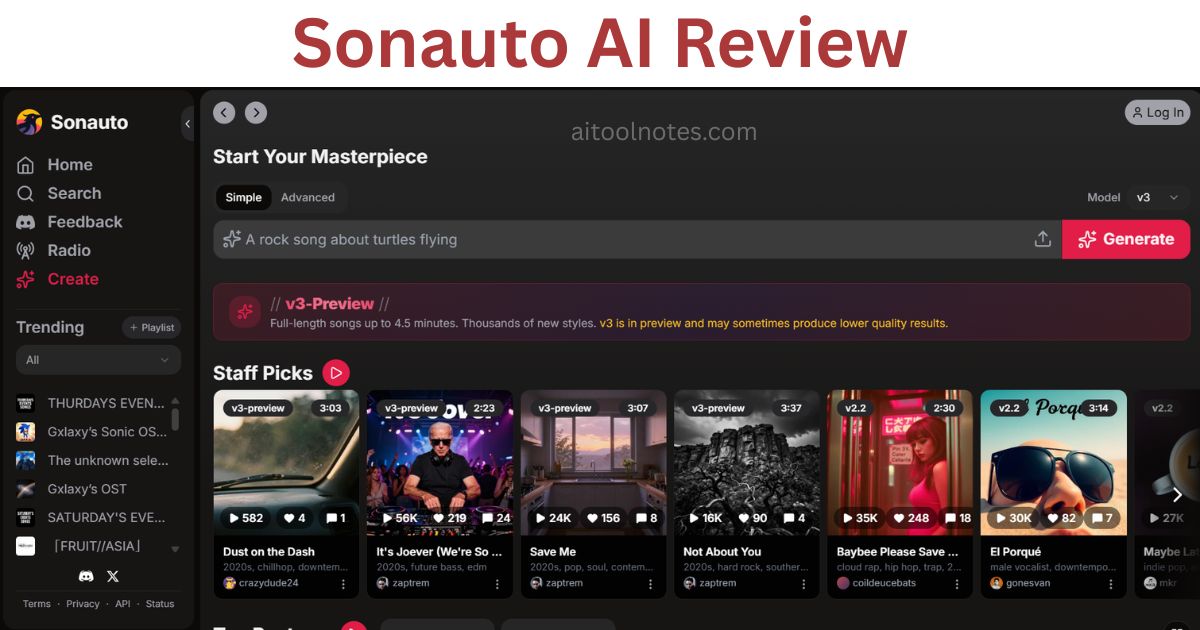
Free AI music generators are everywhere in 2026, but most of them run on credit systems that run dry fast. Sonauto takes a different approach. It lets you generate full songs — vocals, instruments, custom lyrics — with no daily cap and no credit card required. That alone makes it worth paying attention to.
Sonauto is a web-based platform built on the Melodia latent-diffusion model. It was founded in 2023, backed by Y Combinator, and has quietly grown into one of the most active communities in AI music. Whether you are a YouTube creator looking for background tracks, a songwriter testing lyric ideas, or a developer building music into an app, Sonauto is one of the first tools you should evaluate.
This review is based on official Sonauto documentation, its published Terms of Service, platform feature evaluation, community feedback, and direct comparison with Suno and Udio. Where we describe hands-on testing, it reflects the reviewer's personal experience — not an objective benchmark. By the end, you will know exactly what Sonauto can do, what it cannot, and whether it is the right tool for your situation.
⚡ Quick Answer: Sonauto AI
✅ Key Takeaways
- Sonauto is the only major AI music generator offering truly unlimited free generations with no credit system as of August 2026.
- The Melodia latent-diffusion model handles custom lyrics, style tags, BPM control, and stem export — features usually locked behind paid tiers elsewhere.
- Editing tools including inpainting (section replacement) and song extension give creators meaningful control without a DAW.
- Per the Sonauto Terms of Service (updated January 2026), users own their outputs and commercial restrictions on the service do not limit use of generated songs — but always check the latest terms.
- The v3 preview model is still maturing: generation quality can vary, especially with complex custom lyrics.
- Sonauto beats Suno and Udio on price and generation freedom; Udio leads on editing depth and Suno often feels more polished out of the box.
- A developer API with transparent pricing makes Sonauto viable for building music generation into products.
Who Should Read This Review?
This review is written for anyone deciding whether Sonauto AI fits their workflow. Here is who will find it most useful:
- YouTubers and video creators — looking for royalty-friendly background music without ongoing licensing fees.
- Content creators (TikTok, Instagram, Reels) — needing quick, custom tracks for short-form video.
- Musicians and songwriters — testing lyric ideas, chord moods, or genre experiments before studio time.
- Students and educators — exploring AI music in coursework or creative projects on zero budget.
- Podcasters — creating original intro, outro, or transition music.
- Developers — evaluating the Sonauto API for integrating AI music into apps or platforms.
- Hobbyists — experimenting with music generation purely for fun with no financial commitment.
If you run a professional recording studio or need airtight commercial licensing today, keep reading — there is a dedicated section on commercial rights and a decision guide at the end.
How We Evaluated Sonauto AI
This review was put together using a structured evaluation process rather than casual impressions:
- Official documentation — feature pages, the developer docs, and the Sonauto blog were reviewed for accuracy.
- Published pricing — taken directly from the Sonauto website and developer pricing page.
- Terms of Service — the January 2026 version was read in full to assess commercial rights claims.
- Platform feature evaluation — each major feature was tested or verified against official descriptions.
- Community feedback — posts and threads from r/sonauto, Product Hunt, Trustpilot, and YouTube comments were reviewed to identify patterns in real user experience.
- Comparison with competing tools — Suno and Udio were evaluated on identical tasks where possible to provide fair context.
Where personal testing is described, it reflects the reviewer's hands-on experience with the platform. It is presented as one data point, not a universal benchmark. Your results may vary depending on the prompts, genres, and use cases you pursue.
Evaluation Criteria
Sonauto was assessed across ten dimensions:
Clarity, dynamics, genre accuracy, artifact levels
Emotion, pronunciation, consistency across generations
How well the output matches complex or detailed prompts
Time from prompt to playable audio
Inpainting, extension, BPM, stems
Learning curve, interface clarity, no-experience friendliness
Value relative to alternatives
Clarity of TOS, what is actually permitted
Documentation quality, pricing transparency, developer experience
Activity level, social features, content discovery
What Is Sonauto AI?
Sonauto is a web-based AI music platform founded in 2023 by Hayden Housen and Ryan Tremblay. The company is backed by Y Combinator and builds its music generation on a proprietary model called Melodia.
Unlike token-based systems used by some competitors, Melodia works in a continuous audio space using latent diffusion. In practical terms, this gives the model more control over transitions, section editing, and creative variation — which shows up in features like inpainting and song extension.
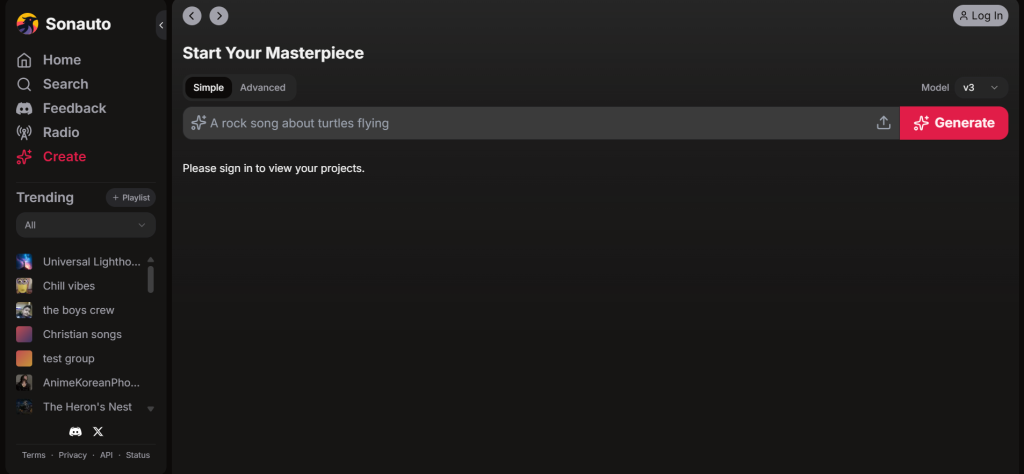
You do not need music theory knowledge to use it. Type a description of what you want — genre, mood, instrumentation, tempo — and Sonauto generates a full track with vocals and arrangement. You can also paste your own lyrics and let it compose music around them.
The official platform is at sonauto.ai. No account is required to start generating.
My Experience Testing Sonauto AI
The following reflects hands-on testing conducted in May 2026. Results are the reviewer's personal experience and will vary by prompt, genre, and use case.
Prompts tested:
- "Chill lo-fi hip-hop beat for late-night studying, warm vinyl crackle, soft female vocals humming the hook"
- "Upbeat indie rock about chasing dreams in a small town, male vocals with raw energy, driving guitars"
- Custom lyrics: a full verse and chorus set to 90s alternative rock style
Generation speed: Audio starts streaming in roughly 15 seconds while the rest of the track renders. A full 3–4 minute song is usually ready in under a minute — noticeably faster than some paid tools tested alongside it.
Vocal quality: Solid for a free tool. The v3-preview model conveyed emotion well, with lo-fi whisper vocals feeling natural. Custom lyric output occasionally drifted off-key or produced odd pronunciation. Using the inpainting tool to re-generate problem sections fixed most issues within two or three attempts.
Lyric quality: Auto-generated lyrics were decent but tended toward the generic. Supplying custom lyrics produced substantially better results. The model respected rhyme scheme and structure well when clear style tags were included.
Editing workflow: This is where Sonauto stood out. An indie track with a weak bridge was improved in minutes by selecting just that section and using inpainting to replace it. The outro was extended by 60 seconds with a "build to bigger drums" instruction. Stem export separated vocals, drums, bass, and other instruments cleanly for DAW import.
Consistency: v3 is still a preview model. One generation might be polished; the next shows slight artifacts or shorter than expected length. Voice timbre and gender are not always predictable from the same prompt.
Community radio: The most surprising feature. Creating a personal station and browsing tracks from other users surfaced some genuinely polished work. It creates a sense of a real creative ecosystem rather than just a generator.
Comparison with Suno and Udio: Identical prompts were run on Suno and Udio (free tiers). Sonauto matched or exceeded both on speed and generation freedom. Udio still leads on vocal emotion and editing depth. Suno often feels more polished out of the box. For zero cost, Sonauto won every session on value.
Expert Tip: If you burn through three or four generations without hitting the right energy, try adding a specific BPM value and one or two reference artist names (e.g., "120 BPM, Tame Impala style"). Specific anchors give the model clearer direction.
Key Features of Sonauto AI
Here is how the main tools perform in practice, with an honest look at strengths and limitations for each.
Text-to-Music Generation
Describe a track in plain language and get a full song with vocals, instrumentation, and arrangement. Thousands of style combinations are available via tags.
No music theory required. Anyone can go from idea to audio in under a minute.
Genre flexibility is broad — from classical to hyperpop. Style tags let you layer moods, eras, and instruments precisely.
Very short or vague prompts often produce generic results. The model benefits significantly from specificity.
Creators who want to explore ideas quickly across many genres.
Custom Lyrics Support
Paste your own words and the AI composes music around them, respecting your rhyme scheme and structure.
Songwriters can test whether a lyric concept works musically without booking studio time.
Best feature for users with existing lyric ideas. The model respects verse-chorus structure and handles rhyme well when prompts are clear.
Complex or long lyrics can produce pronunciation drift or off-key moments in v3 preview. Inpainting can fix most issues.
Songwriters, lyricists, and musicians testing lyric drafts.
Keep in Mind: Custom lyrics work best when you include clear section labels like [Verse], [Chorus], and [Bridge]. This helps the model understand the intended structure.
Stem Export
Download separate audio tracks for vocals, drums, bass, and other instruments.
Opens up professional post-processing workflows. Stems let you remix, EQ, and master individual layers in a DAW.
Available on the free plan. Clean separation in testing — tracks imported well into Ableton and Logic.
Stem quality depends on generation quality. A noisy generation will produce noisier stems.
Producers and musicians who want to continue editing in a professional environment.
Inpainting (Section Replacement)
Highlight any section of a generated track and regenerate only that part. The rest of the song stays untouched.
Eliminates the need to scrap an entire song because one section did not work.
Genuinely time-saving. Fixing a bridge or adjusting a chorus takes minutes. Transitions into and out of the replaced section are handled well.
Complex replacements sometimes require two or three attempts. The new section occasionally has slightly different tonal character.
Anyone refining a near-complete track.
Song Extension
Continue a generated track seamlessly beyond its original length.
Turns a short demo into a full-length track for video, podcasts, or streaming.
Extensions follow the mood and structure of the original surprisingly well. Adding instructions like "build to bigger drums" is respected.
Very long extensions can occasionally drift from the original style. Extensions add best to tracks with clear sections.
Video creators and podcasters who need music of a specific length.
BPM Controls
Set an exact beats-per-minute value for your track.
Essential for sync work — when a track needs to match a video cut or dance choreography, the BPM must be exact.
Video editors, dance content creators, and producers needing precise tempo.
AI Voice Features
Voice style guidance via presets and style tags. Not full voice cloning.
Adds a layer of vocal character control beyond basic genre selection.
Voice gender and timbre are not perfectly predictable. Treat voice features as guidance rather than guaranteed output.
Community Features
Share songs, browse trending playlists, join groups, and listen to a personalized AI radio station based on your preferences.
The community aspect separates Sonauto from pure generation tools. Discovering what others create provides genuine creative inspiration.
Anyone who wants more than a generation utility — a creative space to explore and share.
Developer API
Integrate Sonauto's music generation into external applications via the official API.
Developers can build music generation into products — apps, games, content tools — without hosting their own model.
Transparent pricing, free test credits for new accounts, clear documentation at the developer pricing page.
Developers and companies building music-integrated products.
Real-World Use Cases
Here is how different types of creators can put Sonauto to practical work:
Background Music for Videos
Generate custom tracks that match the mood of each video — no royalty claims, no music licensing fees. Use BPM controls to sync to edit points. Export stems to duck the music under voiceover.
Short-Form Social Content
Prompt a 30–60 second energetic track, extend if needed, and use inpainting to tighten the hook. Generates fast enough to try multiple options before posting.
Intros, Outros, and Stingers
Create unique theme music that fits your podcast's tone. Extend segments to exact lengths using the extension tool. No stock music library subscriptions needed.
Game Soundtracks and SFX Beds
Prompt ambient, looping backgrounds for different game environments. Developers can use the API to generate music dynamically within the game itself.
Lyric and Melody Testing
Paste draft lyrics and hear them set to music in seconds. Test the same lyrics across three different genres without any studio cost. Use the output as a reference demo for session musicians.
Music Theory Demonstrations
Educators can generate examples of different genres, time signatures, and moods instantly. No software budget needed — just a browser and a prompt.
Best Practices for Better Results
Best Practice: Think of Sonauto prompts like a brief to a session musician. The more context you give — genre, mood, tempo, instrumentation, lyric theme — the closer the output will be to what you imagine.
- Write detailed prompts. Include genre, mood, instrumentation, tempo reference, and vocal style. "Warm lo-fi jazz, 75 BPM, muted trumpet, soft female vocals, rainy afternoon feel" outperforms "jazzy song."
- Use custom lyrics when you have them. Auto-generated lyrics are serviceable, but your own lyrics produce more meaningful and personal results.
- Add structural labels to lyrics. Mark [Verse 1], [Chorus], [Bridge], and [Outro] so the model understands your intended layout.
- Experiment with style tags. Tags like "reverb-heavy," "distorted guitar," "808 bass," or "lo-fi vinyl crackle" give fine-grained control beyond genre names alone.
- Use inpainting for fixes. Do not regenerate the whole song because one section is weak. Select the problem area and replace it.
- Export stems for final polish. Even a great AI-generated track benefits from EQ, compression, and mixing in a DAW. Stems make that possible.
- Generate multiple variations. Run the same prompt two or three times. Outputs vary, and one generation often clearly stands out.
Common Mistakes to Avoid
- Very short prompts. A single word or vague phrase ("sad song") gives the model almost no direction. The output will be generic.
- Poor lyric formatting. Pasting lyrics without structural labels or with inconsistent line lengths often produces confused arrangements.
- Ignoring BPM. For sync work or content with a specific pace, leaving BPM unspecified can produce tracks that do not match your edit.
- Using only one generation. The first output is rarely the best. Most experienced users generate three to five variations per prompt and pick the strongest.
- Not reviewing licensing terms before monetizing. The TOS is friendly, but AI copyright law is still evolving. Always check the latest terms and your distribution platform's policies before uploading commercial content.
- Expecting perfect vocals every time. The v3 model is still in preview. Set realistic expectations for complex custom lyrics, especially in unusual genres or with long verses.
Typical Workflow: From Prompt to Published Track
Here is how a complete Sonauto project typically flows for a content creator:
Write Your Prompt
Include genre, mood, BPM, instrumentation, and any custom lyrics.
Generate
Hit generate. Audio starts streaming in about 15 seconds.
Review
Listen to the full track. Note any sections that are weak or off-target.
Inpaint
Select any weak sections and regenerate just those parts without touching the rest.
Extend
If the track needs to be longer, use song extension with directional instructions.
Export Stems
Download separate vocal, drum, bass, and instrument tracks.
DAW Refinement (Optional)
Import stems into Ableton, Logic, or your DAW of choice for EQ, mixing, and mastering.
Publish
Review commercial rights terms, then upload to YouTube, podcast host, or your platform of choice.
Sonauto AI Pricing
Is Sonauto Really Free?
Yes — completely. As of August 2026, Sonauto requires no sign-up to start generating and imposes no daily limits or credit caps for standard use. Create an account only if you want to save projects, join the community, or access premium features. This level of free access remains rare in 2026 and is the primary reason Sonauto stands out against both Suno and Udio, which both use credit-based free tiers.
Best Practice: Even if you do not plan to save work immediately, creating a free account lets you build a project history and access community features — both useful as you experiment more.
API Pricing for Developers
If you are building a product, the Sonauto developer pricing page offers tiered plans starting at $11/month. New accounts receive free credits to test with before committing. Pay-as-you-go is available. For teams building music into apps, games, or platforms, this is one of the more affordable entry points compared to building or hosting your own model.
Commercial Rights and Copyright
Commercial rights are one of the most important — and most misunderstood — aspects of any AI music tool. Here is what is known based on official sources.
What Sonauto's Terms of Service Say
According to the Sonauto Terms of Service (updated January 26, 2026), users own the outputs they generate. The TOS states that restrictions on using the service commercially do not limit your use of the songs you create. Based on those terms, you can monetize songs made with Sonauto.
Keep in Mind: Terms of Service can change. Always verify the current version at sonauto.ai/tos before using generated music commercially. Saving a dated screenshot of the relevant sections is a reasonable precaution.
The Broader AI Music Copyright Landscape
AI-generated music copyright is still an evolving area of law globally. No AI music platform can guarantee copyrightability in every jurisdiction. Check your local laws and your distribution platform's specific policies (YouTube's Content ID system, Spotify's AI music policies, etc.) before uploading commercial content.
Sonauto vs Suno vs Udio: Commercial Rights Comparison
| Platform | Free Plan Commercial Use | Paid Plan Commercial Use | User Owns Output? | Clarity Level |
|---|---|---|---|---|
| Sonauto | Permitted per current TOS | Permitted per current TOS | Yes (per Jan 2026 TOS) | Moderate — TOS is user-friendly but AI copyright law is unsettled |
| Suno | Non-commercial only | Commercial rights on paid plans | Yes on paid plans | Clearer — separate free/paid commercial terms |
| Udio | Non-commercial only | Commercial rights on Pro plan | Yes on Pro plan | Clearer — especially post-label settlement in 2025 |
This comparison is for informational purposes only and is not legal advice. Always read the current terms of each platform and consult a qualified professional for commercial or high-stakes use cases.
For most everyday creators — YouTubers, podcasters, hobbyists — Sonauto's terms are generous and practical. For high-value commercial releases or label-affiliated projects, the more explicit licensing structures of Suno or Udio's paid plans may reduce risk.
AI Music vs Traditional Music Production
It helps to understand where AI music generation fits relative to traditional production — and where it does not replace it.
| Dimension | AI Music (Sonauto) | Traditional Production |
|---|---|---|
| Speed | Minutes from idea to audio | Hours to days per track |
| Cost | Free to low cost | Hundreds to thousands of dollars |
| Learning Curve | Very low — no theory needed | High — years of practice typical |
| Creative Control | Prompt-level control; unpredictable details | Full control of every element |
| Editing | Section-level via inpainting and extension | Sample-level precision in DAW |
| Consistency | Variable — v3 still maturing | Consistent with skill |
| Best Use Cases | Drafts, content music, ideation, background tracks | Commercial releases, live performance, bespoke compositions |
The tools work best together, not in competition. Many producers use Sonauto for fast idea generation, then bring the best stems into a DAW for professional finishing. This hybrid approach is how AI tools for content creation tend to deliver the most value — by accelerating the early stages of creative work.
What the Community Is Saying
Community feedback was reviewed across Reddit (r/sonauto, r/udiomusic), Product Hunt, Trustpilot, and YouTube comments. Here is the overall consensus rather than cherry-picked quotes.
Most Common Praise
- Unlimited free access is the most frequently cited reason users recommend Sonauto over alternatives. Being able to generate 50+ songs in a single session without hitting a wall is genuinely unusual.
- Custom lyrics quality is highlighted repeatedly, particularly the model's ability to respect rhyme structure and song layout when prompts are well-formed.
- Community features receive consistent praise — users describe browsing the community playlist as a real music discovery experience, not just a feature demo.
- The v3 model upgrade is seen as a meaningful improvement over earlier versions, with noticeably better genre accuracy and vocal clarity.
- Product Hunt rating stands at 4.5/5 with multiple reviews calling it a daily-use tool.
Most Common Complaints
- v3 inconsistency is the most common criticism. The preview model produces variable output quality — polished on one generation, noticeably noisier on the next.
- Voice predictability frustrates users who need consistent vocal character across multiple tracks for the same project.
- Complex custom lyrics occasionally produce forced-sounding vocals or incorrect pronunciation on challenging words.
- No native mobile app comes up regularly, especially among mobile-first creators.
- Trustpilot feedback mirrors Reddit: high overall satisfaction, with most negative comments pointing to v3 preview limitations rather than the platform itself.
Overall community verdict: Sonauto is widely regarded as the best free option by a significant margin. Most users who compare it directly to Suno and Udio acknowledge the tradeoffs but call Sonauto the obvious starting point for anyone on a budget.
Sonauto vs Suno vs Udio: Full Comparison
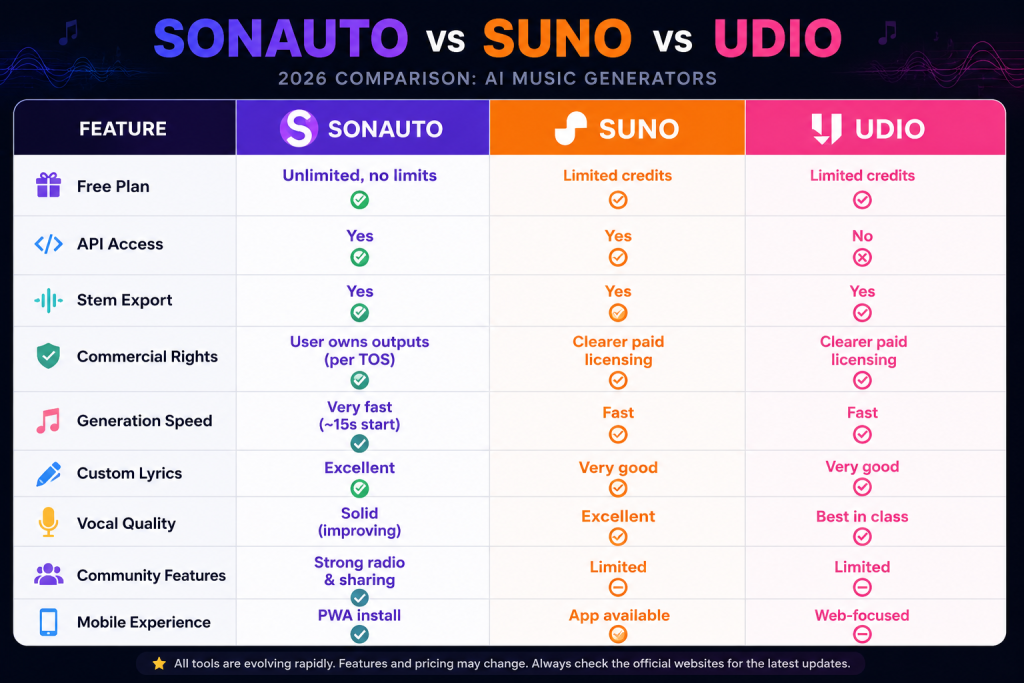
| Feature | Sonauto | Suno | Udio |
|---|---|---|---|
| Free Plan | Unlimited — no limits | Limited credits | 10/day + 100 monthly bonus |
| API Access | Yes | Yes | No |
| Stem Export | Yes (free) | Yes (higher tiers) | Yes (paid plans) |
| Commercial Rights | Permitted per TOS (verify) | Non-commercial on free; clearer on paid | Non-commercial on free; clear on Pro |
| Generation Speed | Very fast (~15s to start) | Fast | Fast (10–30s) |
| Custom Lyrics | Excellent | Very good | Very good |
| Vocal Quality | Solid — improving with v3 | Top-tier clarity | Best emotional depth |
| Inpainting | Yes | Limited | Yes — most advanced |
| Song Extension | Yes | Yes | Yes — best implementation |
| Community Features | Strong — radio and sharing | Limited | Moderate |
| Mobile Experience | PWA install | Native app available | Web-focused |
| Best For | Free use, experimentation, custom lyrics | Speed, beginners, polished output | Editing control, production depth |
Who Should Choose Each Tool
Choose Sonauto if: Cost is your primary concern, you want unlimited experimentation, or you need an API for building. It is also the best first tool for anyone new to AI music.
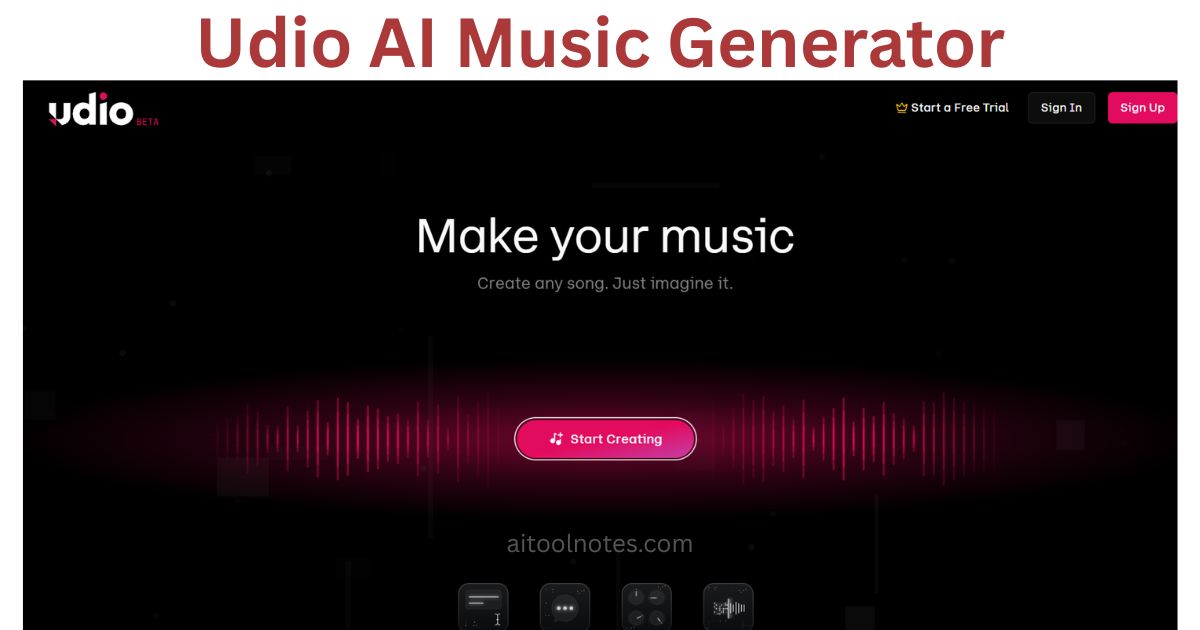
Choose Suno if: You want the most polished output with the least effort, you are a beginner who wants consistent results quickly, or you need clearer paid commercial licensing. Read more in the context of our Udio AI music generator review for a direct Suno/Udio comparison perspective.
Choose Udio if: You want the deepest editing tools, the best vocal emotion, and a production-grade workflow. The Udio review covers this in detail. It is the strongest choice once you are past the learning curve and ready to treat AI output as a real production starting point.
Use all three together if: You are a serious creator. Many users generate ideas freely on Sonauto, refine in Udio, and compare against Suno for final quality checks. At zero cost for Sonauto and low cost for the others, the combination is accessible.
Should You Choose Sonauto?
Sonauto is a strong fit if you are:
- A student or hobbyist who wants to explore AI music without spending any money.
- A content creator (YouTube, TikTok, podcast) who needs custom tracks regularly and cannot justify a monthly music licensing subscription.
- A beginner to AI music tools — the unlimited free plan means you can experiment without worrying about wasting credits.
- A songwriter or lyricist who wants to hear their words set to music quickly and cheaply before committing to studio time.
- A developer who wants to test music generation in a product before investing in a more expensive API.
- Anyone who values community — the Sonauto ecosystem is active and the radio feature is genuinely enjoyable.
Consider alternatives if you need:
- Professional studio releases — major label projects or high-value commercial releases benefit from the cleaner licensing structures of Suno or Udio's paid tiers.
- Maximum vocal realism and editing depth — Udio currently leads on both. If your primary use case is vocals, test Udio alongside Sonauto.
- A native mobile app — Sonauto's PWA is functional but not a substitute for a native experience. Suno has a native app available.
- Guaranteed output consistency — the v3 preview model's variability is not suitable for workflows requiring identical quality across many tracks.
Pros and Cons of Sonauto AI
✓ Pros
- Truly unlimited and free for everyday use — no credits, no sign-up required
- Fast generation — audio starts in roughly 15 seconds
- Strong custom lyrics support with good structural awareness
- Stem export available on the free plan
- Inpainting and song extension give meaningful creative control
- BPM control for sync work
- Active community with radio and sharing features
- Developer API with transparent pricing
- YC-backed with active development and model improvements
✕ Cons
- v3 preview model has variable output quality
- Voice timbre and gender not reliably predictable
- Complex custom lyrics can produce pronunciation errors
- No native mobile app (PWA only)
- Commercial licensing clarity lags behind Suno and Udio paid tiers
- May require several generations to nail a specific sound
- No offline mode
Final Verdict
In 2026, Sonauto AI is the best free AI music generator you can actually use every day without restrictions. The unlimited policy, the Melodia model, and the thoughtful editing tools make it genuinely productive for creators across almost every content format.
It is not perfect. The v3 preview model is still maturing, vocal consistency is work-in-progress, and the broader AI copyright landscape remains unsettled. But at zero cost, it delivers more value than any other tool in its class. For drafts, inspiration, content music, and experimentation, Sonauto is the smartest starting point available.
If your needs grow beyond free, the step up to Suno or Udio is straightforward — and worth it for commercial or production-grade work. But for most creators reading this, Sonauto is where you should start. Head to sonauto.ai and generate your first track in under a minute. No sign-up required.
If you create videos, you might also find our guide on AI tools for content creation useful for building a complete creator workflow around Sonauto. And if you are exploring other music tools, our full Udio AI review is the natural next read.
Frequently Asked Questions
Is Sonauto AI free?
Can I monetize Sonauto songs?
Is Sonauto better than Suno?
How does Sonauto compare to Udio?
Does Sonauto have an app?
Is Sonauto safe to use?
Can Sonauto create copyright-free music?
Does Sonauto support custom lyrics?
Does Sonauto export stems?
What is the Sonauto API and how much does it cost?
What is the Melodia model?
Is Sonauto good for YouTube creators?
Sources
- Sonauto Official Website — platform features and homepage
- Sonauto Terms of Service (updated January 26, 2026) — commercial rights, user ownership
- Sonauto Developer Pricing Page — API plans and pricing
- Sonauto on Product Hunt — community ratings and feedback
- r/sonauto on Reddit — user discussions and real-world feedback
- Sonauto on Trustpilot — user reviews and ratings
- Udio Official Website — comparison reference
- Suno Official Website — comparison reference