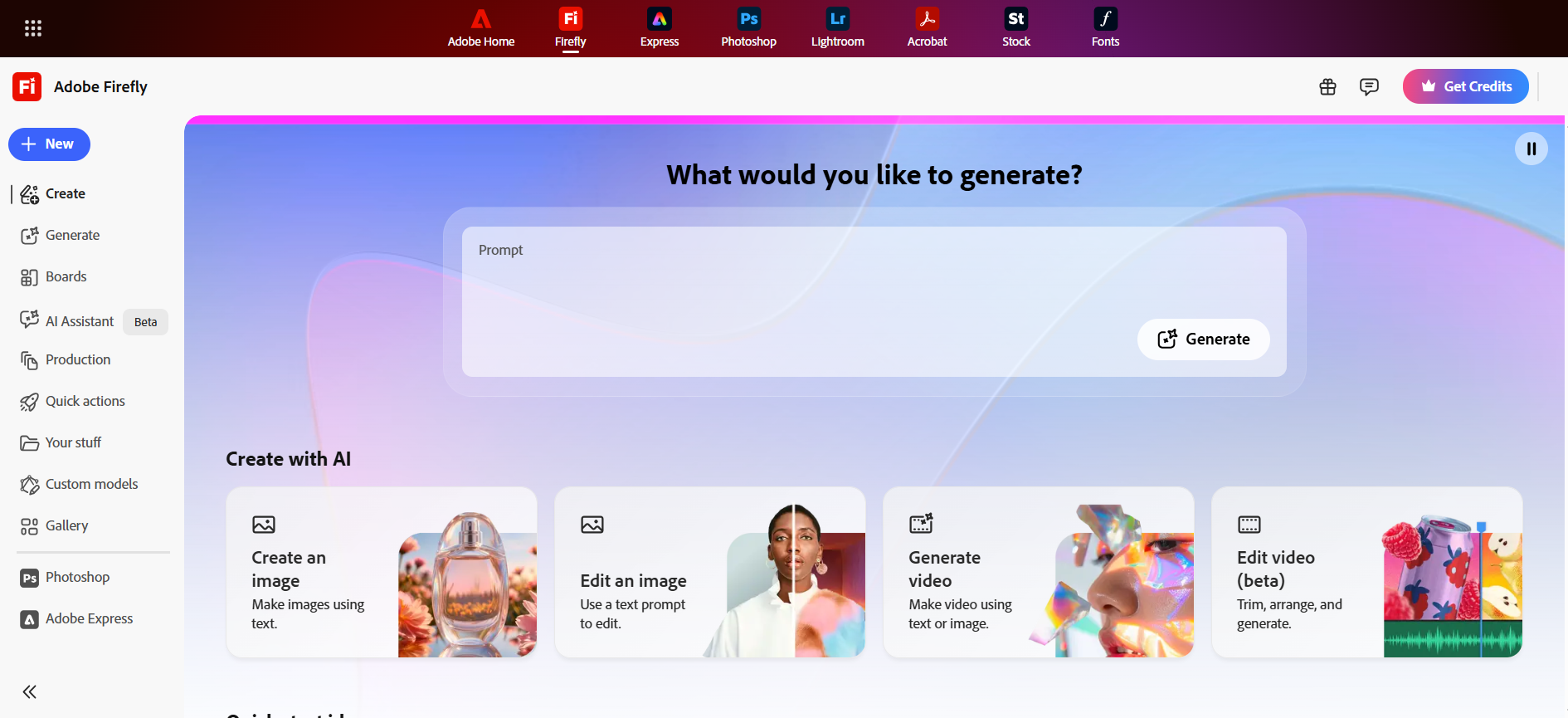
Adobe Firefly in 2026 is no longer just an image generator — it is a full AI creative studio embedded directly inside Creative Cloud. After six weeks of daily testing across real client projects, here is the honest picture: Firefly delivers commercially safe images, video clips, and audio tools with precision that standalone generators simply cannot match inside a professional workflow.
This review covers every major feature, the credit pricing reality, how it compares head-to-head with Midjourney and Runway, and exactly who should — and should not — pay for it in 2026.
⚡ Adobe Firefly 2026 — Quick Verdict
- Rating: 9.2/10
- Best For: Professional designers, marketers, agencies, YouTube creators
- Standout Feature: Precision Flow + AI Markup inside Photoshop/Premiere
- Biggest Weakness: Video credits burn fast; artistic range trails Midjourney
- Starting Price: Free tier available; Pro at $19.99/month
- Commercial Safety: ✅ Full legal indemnification — best in class
What Is Adobe Firefly?
Adobe Firefly is Adobe’s family of generative AI models built exclusively for creatives. You can access it at firefly.adobe.com, inside Photoshop, Premiere Pro, Illustrator, or via the free mobile app.
Unlike many AI tools trained on random internet scrapes, Firefly was trained on licensed Adobe Stock images and public-domain content. That single decision gives every generation built-in commercial safety and indemnification — something brands and agencies have been begging for.
In 2026 Firefly feels less like a “generator” and more like a creative partner. It now pulls in partner models from Google, OpenAI, Runway, and Kling, all inside one familiar interface.
My Experience Using Adobe Firefly in 2026
I’ve been testing Firefly daily for the past six weeks while working on client campaigns and my own YouTube channel. Here’s what actually happened when I put it through real workflows.
I started with product photography prompts. One that consistently blew me away: “Cinematic close-up of matte-black wireless earbuds floating above a dark marble surface, dramatic side lighting, subtle reflections, 8K photorealistic, product photography style.”
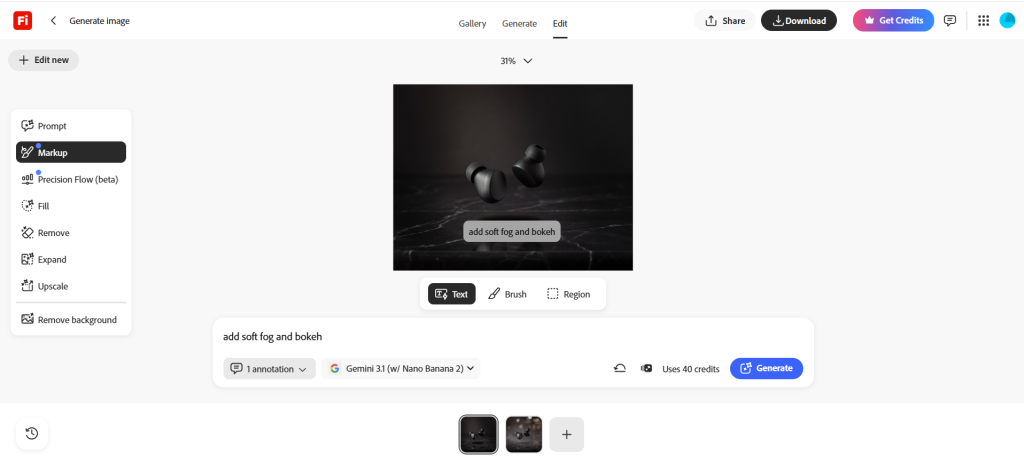
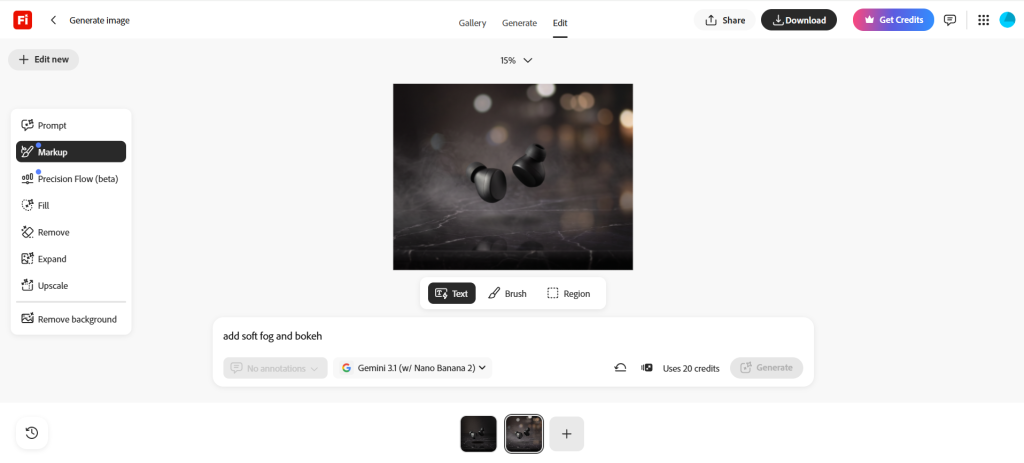
The first generation was 95 % there. I opened Precision Flow, dragged the “mood” slider from cool to warm, and the lighting shifted instantly without me rewriting the prompt. Then I used AI Markup — I drew a quick rectangle over the background and typed “add soft fog and bokeh.” Done in under 10 seconds. The before-and-after was night-and-day clean.
Video generation surprised me most. I needed 5-second b-roll for a tech explainer: “Slow-motion shot of a hand placing a glowing smartphone on a wooden desk, morning sunlight streaming through blinds, cinematic, 4K.”
Firefly delivered three solid takes using the Kling 3.0 model. Motion was smooth, lighting consistent, and the camera move felt natural. I dropped the clip straight into Premiere Pro’s timeline and used the new Enhance Speech tool on the voiceover I recorded earlier using Murf AI voiceover generator. No more jumping between apps.
The Firefly AI Assistant (beta) is the feature I didn’t know I needed. I typed: “Create a full social media campaign for a coffee brand — logo mockup, three Instagram posts, one 15-second Reel, and matching thumbnails.”
It planned the whole thing, generated assets, and even suggested color palettes based on my brand kit. I still tweaked a few things, but it cut my campaign setup time from two hours to twenty minutes.
Where it struggled: Complex character consistency in longer videos still needs manual fixes. Text in videos can glitch if you push the prompt too hard. And yes — video credits disappear fast. I burned through 800 credits in one afternoon of experimentation.
Speed & mobile: Web app is snappy even on my mid-range laptop. The mobile app on iPhone let me generate thumbnails while waiting in line for coffee — genuinely useful.
Biggest frustrations: The credit meter. During heavy testing days I hit the wall and had to wait for the monthly reset. Also, while outputs are safe and clean, they sometimes feel a little “corporate polished” compared to Midjourney’s more artistic chaos.
What impressed me most: How perfectly Generative Fill and Expand now live inside Photoshop’s contextual taskbar. No more copy-paste between tabs. It just feels like magic that actually works for paying clients.
Overall, Firefly feels like the tool I reach for when the project has to ship tomorrow and the client is watching.
Key Features of Adobe Firefly
AI Image Generation
Firefly generates photorealistic 4MP images with best-in-class text rendering accuracy — a known weakness of most AI generators. Style references, aspect ratio controls, and content type filters give you precise creative direction without endless prompt rewriting. Product shots, social graphics, and concept art all perform consistently well across generations.
Precision Flow
My favorite new tool. Generate variations from one prompt, then use sliders to adjust lighting, mood, color grading, or composition. Zero prompt rewriting needed.
AI Markup
Draw on any image with brushes or shapes and tell Firefly exactly what to change. Feels like Photoshop’s smart object on steroids.
Generative Fill / Expand / Remove
The classics are faster and more accurate than ever. Background removal is now one-click reliable.
Video Generation
5–10 second clips from text or images. Multi-track timeline editor inside the browser with Adobe Stock music, Enhance Speech, and color grading. Kling 3.0 and Runway models give impressive motion consistency.
Firefly AI Assistant (Beta)
Conversational agent that plans and executes multi-step tasks across Photoshop, Premiere, and more. Huge time-saver for campaign work.
Audio Tools
Auto-clean dialogue, generate sound effects, and lip-sync translation. Pairs beautifully with AI talking avatar generators for full video workflows.
Creative Cloud Integration
Tools appear right where you work — Photoshop taskbar, Premiere timeline, Illustrator. No context switching.
Firefly Boards
Infinite collaborative canvas for mood boards and storyboarding. Teams love it.
Custom Models
Train Firefly on your own brand assets so every generation stays on-brand automatically.
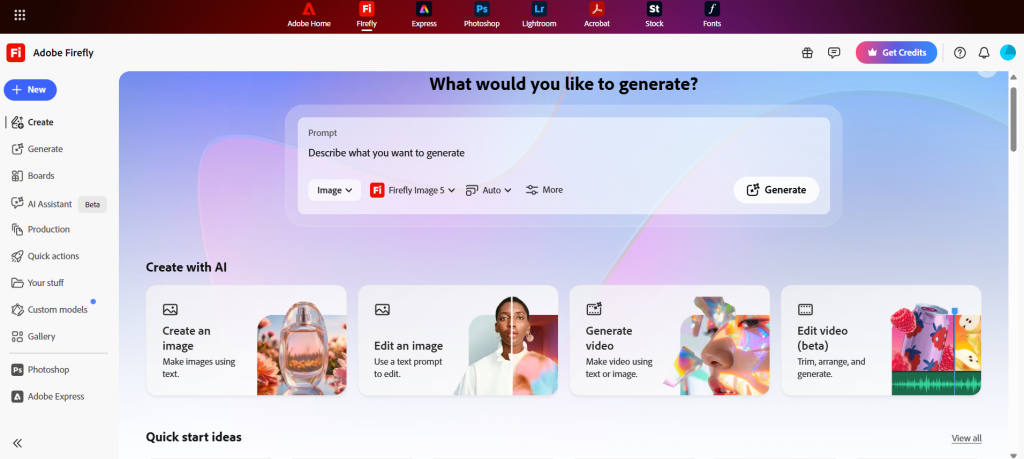
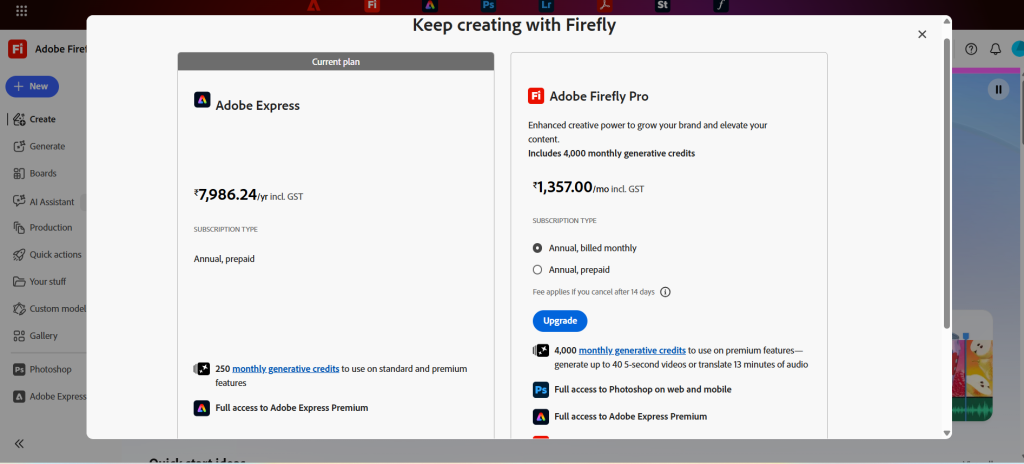
Adobe Firefly Pricing
Firefly uses a credit system, but Adobe has been generous with unlimited promotions in 2026.
| Plan | Monthly Price | Generative Credits | Best For | Extra Perks |
|---|---|---|---|---|
| Free | $0 | Limited | Students & testing | Basic access |
| Firefly Standard | $9.99 | 2,000 | Hobbyists & light users | Web app access |
| Firefly Pro | $19.99 | 4,000+ | Freelancers & creators | Photoshop web + Express Premium |
| Pro Plus / Premium | $39.99+ | 10,000–50,000+ | Agencies & teams | Unlimited promos + API access |
Credit add-ons are available at reasonable rates if you exceed your monthly allocation. Adobe periodically runs unlimited generation promotions on select models — check firefly.adobe.com for current active offers before committing to a paid tier.
Adobe Firefly vs Midjourney vs Runway
| Feature | Adobe Firefly | Midjourney | Runway |
|---|---|---|---|
| Commercial Safety | Excellent (indemnified) | Moderate | Moderate |
| Video Tools | Strong (5-10s clips) | Weak | Excellent |
| Editing Precision | Excellent | Limited | Good |
| Creative Cloud Integration | Best | None | Moderate |
| Artistic “Wow” Factor | Good | Excellent | Very Good |
| Best For | Professionals & brands | Artists & concept work | Filmmakers & motion |
| Pricing Model | Credits + subscription | Subscription | Credits |
Detailed comparison analysis: Midjourney still wins for pure artistic exploration — its images often feel more inspired. But if you need to deliver to a client tomorrow with zero legal risk, Firefly wins every time.
Runway beats Firefly for long-form video and advanced motion graphics (check my guide to the 5 best AI tools for motion graphics). However, Firefly’s direct Premiere Pro integration and commercial safety make it the safer daily driver for most creators.
Best Use Cases for Adobe Firefly
- YouTube creators: Thumbnails, channel art, and short b-roll clips
- Marketers & agencies: On-brand social campaigns and ad creatives
- Designers: Product mockups and packaging concepts
- Thumbnail creators: Fast, high-converting YouTube thumbnails
- Video editors: Quick b-roll and motion graphics (pairs well with AI avatar tools for multilingual voiceovers)
- Social media managers: Consistent brand visuals across platforms
Best Prompting Tips for Firefly
- Cinematic prompts: Add “cinematic lighting, anamorphic lens flare, film grain, 35mm”
- Realistic product shots: Specify “studio lighting, white seamless background, 8K product photography”
- YouTube thumbnails: “Bold text overlay, high contrast, emotional face, clickbait style, vibrant colors”
- Ad design: Include your brand colors and “minimalist, clean, conversion-focused”
- Concept art: “Detailed matte painting, dramatic atmosphere, art by [artist name]”
Pro tip: Reference images work amazingly well in AI Markup.
Strengths and Weaknesses
✓ Strengths
- Best-in-class commercial safety and legal indemnification
- Precision Flow and AI Markup — genuinely powerful editing tools
- Deep native Creative Cloud integration — no app switching
- Fast, reliable outputs ready for client delivery
- Strong team collaboration via Firefly Boards
- Custom Models keep every output on-brand automatically
✕ Weaknesses
- Video credits burn fast during heavy experimentation
- Artistic range sometimes trails Midjourney's raw creativity
- Video clips capped at 5–10 seconds — no long-form
- Complex character consistency still needs manual fixes
- Full creative power requires paid Creative Cloud subscription
Ethical AI and Commercial Safety
This is where Firefly separates itself. Every model is trained only on licensed content. Adobe offers legal indemnification for eligible generations — meaning brands can use the output commercially without fear of copyright lawsuits.
Content Credentials (C2PA standard) embed provenance data so clients know exactly how the asset was created. For agencies and enterprises, this peace of mind is worth the subscription alone.
Who Should Use Adobe Firefly? Who Should Avoid It?
Use Firefly if you:
- Work with clients or brands that demand legal safety
- Live inside Creative Cloud already
- Need fast, editable, on-brand assets
- Value workflow speed over pure artistic experimentation
Avoid Firefly if you:
- Only want the most artistic, experimental images (check AI creative tools like Midjourney)
- Need long-form video generation (Runway or dedicated tools win)
- Are on a very tight budget — explore our free AI tools first
Final Verdict
Adobe Firefly in 2026 is the most practical, professional-grade AI creative tool available — especially if you already pay for Creative Cloud. It won’t replace your entire creative brain, but it will 3x your output while keeping everything legally safe and on-brand.
Is it worth paying for? Yes — the Pro plan pays for itself in saved hours within the first month. Should professionals switch? Most already have. Beginners? Start with the free tier and the excellent mobile app.
If you create content for a living, Firefly is now table stakes. Head to firefly.adobe.com and run your own tests — you’ll see exactly why I’m this excited about it.
Frequently Asked Questions
Is Adobe Firefly free?
Is Adobe Firefly commercially safe?
Firefly vs Midjourney — which is better?
Can Firefly generate videos?
Is Firefly better than Canva AI?
Does Firefly work with Photoshop?
Can Firefly create YouTube thumbnails?
Is Firefly good for marketers?
Ready to try it yourself? Head to firefly.adobe.com — the free tier is enough to judge if it fits your workflow before paying anything. For more AI creative tools across content, video, and marketing, explore our full AI tools for content creation guide.