Searching for flights has changed dramatically in 2026. Instead of manually filling out search forms and comparing dozens of tabs, travelers can now ask ChatGPT simple questions and receive live flight options through the official Skyscanner integration.
For this updated guide, I explored how the Skyscanner Chatbot works inside ChatGPT, tested different flight search prompts, and evaluated its speed, accuracy, ease of use, and overall travel planning experience. I also compared it with the traditional Skyscanner website and Google Flights to understand where it performs best and where it still has limitations.
If you're wondering whether the Skyscanner Chatbot is worth using in 2026, this guide covers everything you need to know, including its features, advantages, drawbacks, and practical tips for finding better flight deals.
Quick Verdict
Rating: 9.1/10 The Skyscanner Chatbot is one of the most useful AI-powered travel tools in 2026, making flight searches faster and more conversational without sacrificing access to live pricing.
Best for: Frequent travelers, international trip planners, digital nomads, and anyone who prefers natural-language flight searches over traditional booking forms. Key strengths: Conversational flight search, live Skyscanner pricing, easy follow-up queries, and support for complex travel requests. Biggest weaknesses: You still complete bookings on external websites, advanced filters are more limited than the full Skyscanner website, and availability may vary depending on your ChatGPT access.
If you regularly compare flights and want a faster, more natural way to search, the Skyscanner Chatbot is well worth trying. It won't replace dedicated booking websites completely, but it makes the flight discovery process much simpler and more efficient.
What's New in 2026?
- Official Skyscanner integration inside ChatGPT.
- Conversational flight search using natural language.
- Live flight results without traditional search forms.
- Improved support for follow-up travel queries.
- Ongoing AI enhancements for smarter travel planning.
What is the Skyscanner Chatbot in 2026?
Skyscanner has evolved far beyond its original flight comparison website. In early 2026, the company launched its official app/integration inside ChatGPT. This allows users worldwide to search and compare flights using simple conversational prompts directly within ChatGPT.
Previously, Skyscanner offered Savvy Search — an AI-powered tool on its own platform for trip inspiration. The 2026 ChatGPT integration takes this further by bringing Skyscanner’s live pricing engine directly into the world’s most popular AI chatbot.
This means you no longer need to switch between tabs or fill complex filters. You can have a natural conversation with AI while getting accurate, real-time flight data powered by Skyscanner.
For Indian travelers, this is particularly useful for searching international routes from Delhi, Mumbai, Bangalore, Hyderabad, and other major cities using simple English or Hinglish-style prompts.
For a broader comparison of top AI chatbots and assistants available in 2026, check out our detailed guide on Best ChatGPT Alternatives in 2026.
My Experience Testing the Skyscanner Chatbot
I tested the Skyscanner Chatbot inside ChatGPT using a variety of real travel scenarios, including domestic flights within India, international routes, budget-friendly trips, and multi-city itineraries. I wanted to see how well it handled natural language requests, follow-up questions, and live flight comparisons compared with traditional travel search websites.
Searches I tested:
- "Find the cheapest round-trip flights from Delhi to Dubai next month."
- "Show me direct flights from Mumbai to Bangkok under ₹25,000."
- "Compare business class flights from Bangalore to Singapore in August."
- "Find the cheapest multi-city trip from Delhi to Paris and Rome."
- "Show flexible departure dates for Hyderabad to London."
What impressed me most: The chatbot understood conversational requests surprisingly well and made it easy to refine searches without starting over. Instead of repeatedly changing filters, I could simply ask follow-up questions like "only direct flights" or "show cheaper options," making the entire search process feel much more natural.
What could be better: While the chatbot is excellent for discovering and comparing flights, the final booking still happens on airline or travel partner websites. Some advanced filtering options available on the full Skyscanner website are also easier to access outside the chatbot.
My overall experience: After testing multiple routes and travel scenarios, I found the Skyscanner Chatbot to be one of the most practical AI travel tools available in 2026. It doesn't replace traditional booking websites entirely, but it significantly speeds up the research phase and makes finding suitable flights much more convenient.
Key Features of Skyscanner’s AI Integration
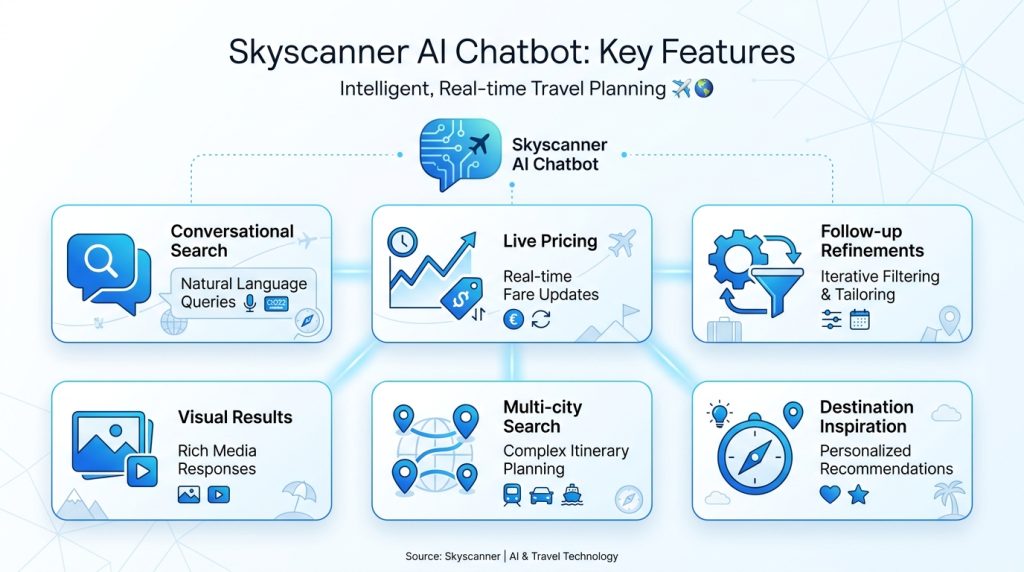
The Skyscanner Chatbot combines AI-powered conversation with Skyscanner's flight search technology, making travel planning much faster than traditional search forms. Here are the features that stood out during my testing:
Conversational Flight Search
Instead of filling out multiple filters, you can simply describe your trip in natural language. The chatbot understands requests like "Find the cheapest flights to Japan next October" or "Show me weekend trips under ₹20,000."
Live Flight Pricing
The chatbot retrieves real-time flight information from Skyscanner, allowing you to compare airlines, prices, travel times, and stopovers without leaving the conversation.
Smart Follow-up Conversations
One of the biggest advantages is the ability to refine your search naturally. You can ask follow-up questions such as "Only direct flights," "Show cheaper options," or "Change the departure date to Friday," and the chatbot remembers the previous search.
Multi-city and Flexible Travel Planning
The chatbot handles more complex requests, including multi-city itineraries, flexible travel dates, nearby airports, and budget-based searches, making it useful for longer international trips.
Interactive Travel Discovery
If you haven't decided where to travel, you can ask for destination suggestions based on your budget, season, or travel interests, making trip planning feel more like a conversation than a search.
Works Inside ChatGPT
Since the integration operates within ChatGPT, you don't have to repeatedly switch between multiple websites while planning your trip. This creates a smoother research experience from the first search to the final comparison.
Continuous AI Improvements
Skyscanner continues expanding its AI capabilities, and future updates are expected to improve trip planning, personalization, and travel recommendations as conversational AI evolves.
How to Use the Skyscanner Chatbot in ChatGPT? (Step-by-Step)
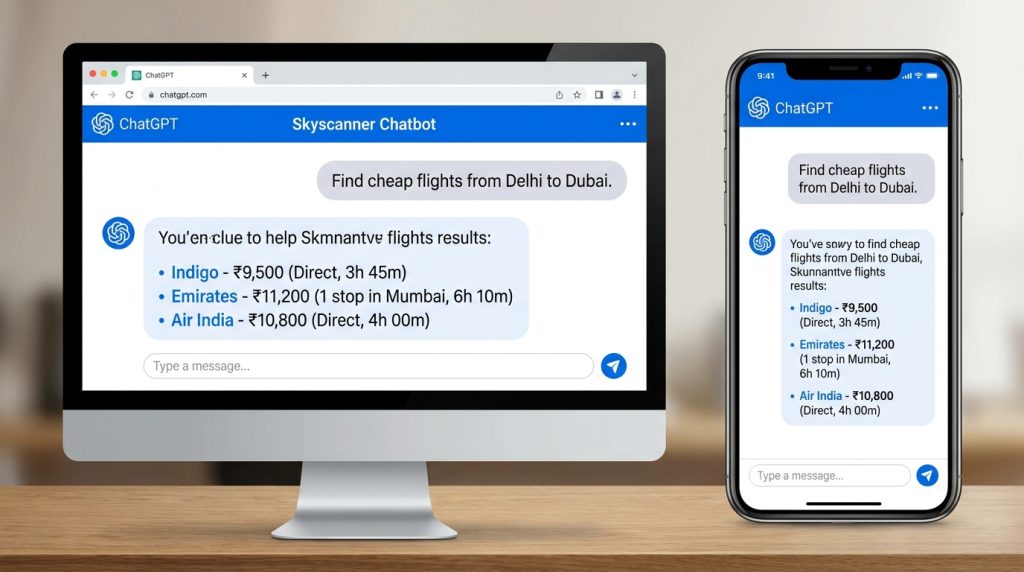
Getting started with the Skyscanner Chatbot inside ChatGPT is straightforward. Once the integration is available in your account, you can search for flights using natural language instead of traditional booking forms.
- Open ChatGPT
Sign in to ChatGPT on the web or mobile app using an account that supports the latest features and integrations. - Enable the Skyscanner Integration
Search for the official Skyscanner app or integration from the available tools and activate it if required. - Describe Your Trip Naturally
Instead of selecting multiple filters, simply type what you're looking for. For example:- "Find the cheapest flights from Delhi to Dubai next month."
- "Show direct flights from Mumbai to Bangkok under ₹25,000."
- "Compare business class flights from Bangalore to Singapore."
- Review the Flight Options
The chatbot displays available flights, airlines, estimated prices, travel duration, and stopovers using Skyscanner's search results. - Refine Your Search
Ask follow-up questions naturally without starting over. For example:- "Only show nonstop flights."
- "Find cheaper options."
- "Change the departure to Friday."
- "Show morning flights only."
- Complete Your Booking
Once you've found the best option, follow the provided booking link to complete your reservation through the airline or one of Skyscanner's travel partners.
During my testing, the biggest advantage was the ability to continue the conversation instead of repeating the entire search every time I wanted to change dates, airlines, or budgets. That conversational workflow makes trip planning noticeably faster than using traditional flight search forms.
Best Prompt Examples for the Skyscanner Chatbot
- Find the cheapest flights from Delhi to Dubai next month.
- Show direct flights from Mumbai to Bangkok under ₹25,000.
- Find weekend trips from Bangalore under $300.
- Compare business class flights from Delhi to London.
- Suggest destinations I can visit from India in September for under ₹40,000.
AI tools are increasingly being used not just for booking but also for creating detailed travel content and itineraries. Explore our roundup of Best AI Tools for Content Creation.
Advantages of Using Skyscanner Chatbot
After using the Skyscanner Chatbot across different travel scenarios, these are the biggest advantages I noticed:
Faster Flight Searches
Instead of filling out multiple search fields, you can simply describe your travel plans in plain English. This makes searching for flights significantly quicker, especially for casual travelers.
Natural Conversations
The chatbot remembers previous questions, allowing you to refine searches naturally. You can ask for cheaper flights, different dates, nonstop options, or alternative airports without starting a new search.
Live Flight Information
Search results are powered by Skyscanner's live flight database, giving you access to current prices, airlines, travel times, and stopover information while planning your trip.
Handles Complex Travel Requests
The chatbot performs well with flexible dates, multi-city itineraries, international trips, and budget-based searches that would normally require several manual filters.
Less Time Switching Between Websites
Because flight discovery happens inside ChatGPT, you spend less time opening multiple tabs just to compare destinations or adjust your travel plans.
Useful for Travel Inspiration
If you haven't decided where to travel yet, the chatbot can suggest destinations based on your budget, preferred travel month, or vacation style, making trip planning more interactive.
Easy for Beginners
Even users who have never used advanced flight search websites can quickly find suitable flights by simply describing what they need in everyday language.
My Overall Impression: The biggest benefit isn't just finding flights—it's how much easier the entire research process becomes. Being able to refine searches through conversation instead of repeatedly adjusting filters makes planning trips noticeably more efficient.
Limitations and Drawbacks
Although the Skyscanner Chatbot makes flight searching much easier, it isn't a complete replacement for traditional travel booking websites. During my testing, I noticed a few limitations that are worth keeping in mind.
Booking Still Happens Elsewhere
The chatbot helps you discover and compare flights, but you'll still be redirected to an airline or travel partner website to complete your booking.
Advanced Filters Are More Limited
For highly specific searches—such as selecting multiple stopover airports, fare classes, or detailed baggage options—the full Skyscanner website still offers greater flexibility.
Availability Depends on ChatGPT Access
The Skyscanner integration may not be available to every ChatGPT user immediately, as access can depend on your account, supported features, and regional rollout.
Complex Requests May Need Refinement
While the chatbot handles conversational searches well, very detailed or unusual travel requests may require a follow-up prompt to narrow the results.
Prices Can Change Quickly
Flight prices are highly dynamic. Even though the chatbot displays live search results, fares can change before you complete your booking, especially during busy travel periods.
Privacy Considerations
Like any AI-powered assistant, you'll be sharing travel preferences and search queries while planning your trip. Users should review the privacy policies of both ChatGPT and Skyscanner if they have concerns about how their information is handled.
My Overall Impression: None of these limitations were deal-breakers during testing. The chatbot works best as a flight discovery and comparison tool, while the final booking and more advanced travel management are still better handled through the official booking websites.
Skyscanner Chatbot vs Traditional Search vs Other AI Tools
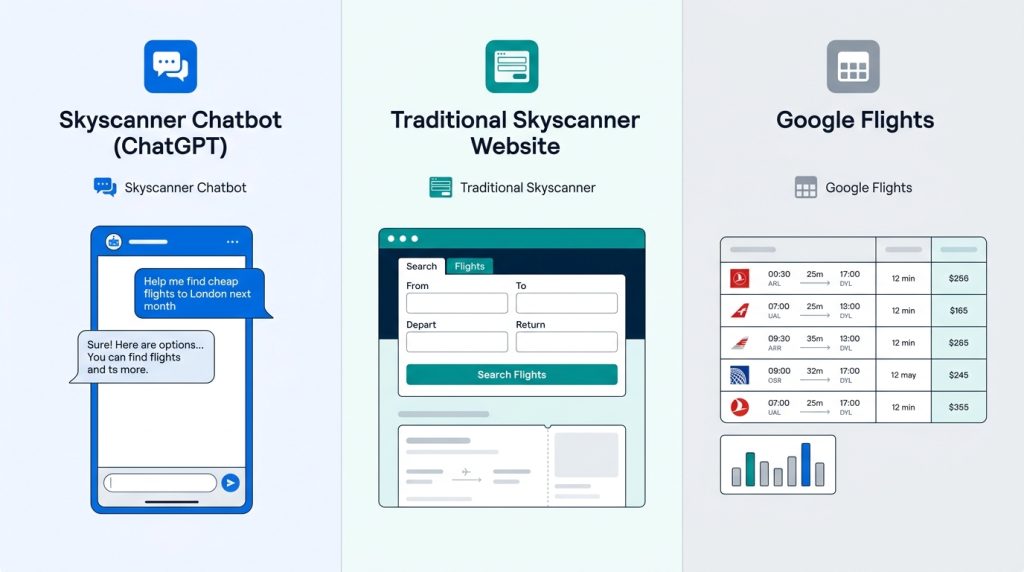
| Feature | Skyscanner Chatbot (ChatGPT) | Traditional Skyscanner Website | Google Flights |
|---|---|---|---|
| Search Method | Natural language conversation | Form-based filters | Form + some AI suggestions |
| Ease of Use | Very High | Medium | Medium |
| Refining Searches | Excellent (follow-up messages) | Good | Good |
| Live Pricing | Yes | Yes | Yes |
| Best For | Quick & complex queries | Detailed comparison | Price tracking & date grids |
| Booking | Redirects externally | Redirects externally | Redirects externally |
Each flight search tool has its own strengths, and the best choice depends on how you like to plan your trips.
Skyscanner Chatbot is ideal if you prefer having a natural conversation while searching for flights. Instead of repeatedly changing filters, you can simply ask follow-up questions such as "Show only nonstop flights" or "Find cheaper options next week." During my testing, this conversational approach made researching multiple travel options much faster than traditional search forms.
The traditional Skyscanner website remains the better choice when you need advanced filtering, detailed fare comparisons, flexible date calendars, or want to explore multiple booking options before making a final decision.
Google Flights continues to be one of the strongest tools for visual price tracking, flexible date grids, and monitoring fare changes over time. It's especially useful if your travel dates are flexible and you're waiting for lower prices.
My overall comparison: I found the Skyscanner Chatbot to be the fastest option for discovering flights and refining searches through conversation. For final booking decisions and detailed comparisons, however, I still preferred using the full Skyscanner website or Google Flights alongside the chatbot. Using these tools together provides the best overall travel planning experience.
Pro Tips for Getting the Best Results
After testing the Skyscanner Chatbot with different travel scenarios, I found that a few simple habits can dramatically improve the quality of the results you receive.
Be Specific With Your Request
Include your departure city, destination, travel month, budget, preferred airlines, and whether you want direct flights. The more context you provide, the more relevant the recommendations become.
Use Follow-up Questions Instead of Starting Over
One of the chatbot's biggest strengths is remembering the conversation. Instead of creating a new search, simply ask follow-up questions like "Show cheaper options," "Only nonstop flights," or "Move my trip to next weekend."
Compare Flexible Dates
If your travel schedule isn't fixed, ask the chatbot to compare nearby travel dates. Even shifting your departure by one or two days can sometimes result in noticeably lower fares.
Include Your Budget
Mentioning a maximum budget helps narrow the search much faster. For example, prompts such as "Find flights under ₹30,000" or "Round-trip flights below $500" usually produce more useful results.
Verify Before Booking
Although the chatbot displays live flight information, prices can change quickly. Before completing your purchase, review the latest fare and baggage details on the airline or booking partner's website.
Use the Chatbot for Research First
The Skyscanner Chatbot is excellent for discovering routes, comparing prices, and exploring travel ideas. Once you've identified the best option, use the official booking page to finalize your reservation.
Pros and Cons
Pros
- Natural conversational flight searches
- Live pricing powered by Skyscanner
- Excellent follow-up search refinement
- Works well for multi-city planning
- Simple enough for beginners
Cons
- Cannot complete bookings inside ChatGPT
- Some advanced filters are still missing
- Availability depends on ChatGPT access
- Flight prices can change rapidly
Who Should Use the Skyscanner Chatbot?
The Skyscanner Chatbot isn't designed for every type of traveler, but during my testing it worked especially well for people who want quick answers without navigating multiple booking websites.
Best for:
- Frequent travelers who compare flights regularly and want faster search results.
- International travelers planning multi-city or long-distance trips with flexible travel dates.
- Budget-conscious travelers looking for the cheapest flight options through conversational searches.
- Busy professionals who prefer asking questions naturally instead of adjusting multiple search filters.
- First-time travelers who may find traditional flight booking websites overwhelming.
Less suitable for:
- Travelers who require highly detailed airline, fare, baggage, or seat filtering before comparing options.
- Users who want to complete the entire booking process without leaving ChatGPT.
- People who prefer manually comparing dozens of flights using advanced calendars and filtering tools.
My Recommendation: If your goal is to discover flights quickly and narrow down the best travel options through conversation, the Skyscanner Chatbot is one of the easiest AI travel tools to use in 2026. For final booking decisions and advanced comparisons, I still recommend checking the official Skyscanner website before purchasing your ticket.
Who Should Avoid the Skyscanner Chatbot?
- Users who rely on advanced airline filtering options.
- Travel agents managing complex corporate bookings.
- People who prefer completing the entire booking process on one website.
- Travelers who don't use ChatGPT regularly.
Is the Skyscanner Chatbot Safe to Use?
The Skyscanner Chatbot uses Skyscanner's flight search technology inside ChatGPT to help users discover and compare flights. While the chatbot doesn't process bookings directly, users should always review airline details, prices, and privacy policies before completing any reservation on external booking websites.
Frequently Asked Questions (FAQ)
Q: Is the Skyscanner Chatbot free to use? A: Yes, the integration works inside ChatGPT. However, for the best experience and faster responses, a ChatGPT Plus subscription is recommended.
Q: Can I book flights directly through the chatbot? A: No. It helps you compare and find options, but you’ll be redirected to book on the airline or travel agency website.
Q: Does it work for domestic flights in India? A: Yes, it supports both domestic and international routes.
Q: How accurate are the prices shown? A: Prices are pulled live from Skyscanner’s database, so they are generally accurate at the time of search.
Q: Is Skyscanner Chatbot better than Google Flights? A: It depends. Skyscanner’s conversational interface is better for quick and natural searches, while Google Flights excels at visual date grids and price tracking.
Q: Will this replace the regular Skyscanner website? A: Not completely. The chatbot is an additional convenient channel, especially for discovery and quick searches.
Q: Can I search for hotels with the Skyscanner Chatbot? A: Depending on the available integration and future updates, Skyscanner may expand conversational search beyond flights. Check the latest features available in your ChatGPT account.
Final Verdict
Overall Rating: 9.2/10
The Skyscanner Chatbot is one of the most practical AI-powered travel tools available in 2026. By combining conversational AI with Skyscanner's live flight search technology, it makes finding flights faster, easier, and far more intuitive than traditional search forms.
During my testing, the chatbot handled natural language requests well, remembered follow-up questions, and simplified the process of comparing routes, dates, and budgets. It won't completely replace the full Skyscanner website or Google Flights—especially for advanced filtering or final booking—but it significantly improves the flight discovery and research experience.
What impressed me most was how naturally the conversation flowed. Instead of restarting every search, I could simply ask for cheaper flights, different dates, or nonstop options, making travel planning feel much more like talking to a travel assistant than using a search engine.
Who should use it? If you frequently compare flights, plan international trips, or simply want a faster way to discover travel options inside ChatGPT, the Skyscanner Chatbot is absolutely worth trying. Casual travelers will appreciate its simplicity, while experienced travelers can use it alongside traditional booking websites for more efficient planning.
As AI continues to reshape the travel industry, conversational flight search is likely to become a standard part of trip planning. Skyscanner's ChatGPT integration is already a strong example of where AI-assisted travel is heading, making it one of the AI travel tools worth watching in 2026.
I'll continue updating this review whenever Skyscanner introduces new ChatGPT features, booking capabilities, or major AI travel improvements.