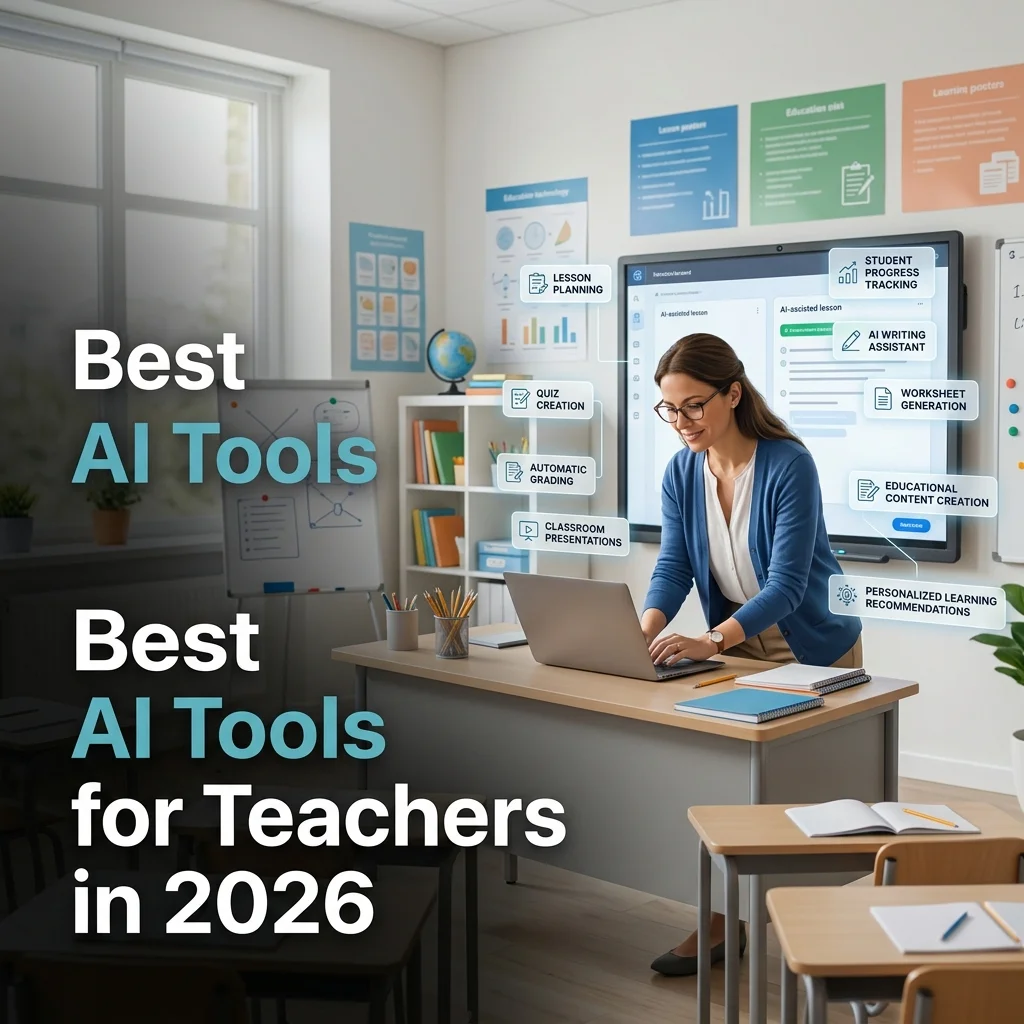
Teachers spend long hours on lesson planning, differentiation, grading, and parent communication. AI tools now handle many of these repetitive tasks so educators can focus more on students. Schools and individual teachers are adopting these tools to save time, create better materials, and support mixed-ability classrooms.
Common challenges include preparing lessons for different reading levels, writing quizzes quickly, giving timely feedback, and creating engaging presentations. This guide reviews practical AI tools for teachers in 2026. You will find honest comparisons of features, pricing, strengths, limits, privacy notes, and which tools fit different teaching situations. Pricing and features change, so always verify the latest details on each official website.
Quick Comparison Table
| Tool | Best For | Free Plan | Starting Price | Platforms | Ease of Use | Overall Rating |
|---|---|---|---|---|---|---|
| MagicSchool AI | All-in-one lesson planning | Yes | Free / ~$8–13/mo | Web | High | 9.3/10 |
| ChatGPT (Teachers) | General planning & drafting | Yes* | Free (verified US K-12) | Web, apps | High | 9.0/10 |
| Claude (Teachers) | Standards-aligned plans & long docs | Yes* | Free year (verified US) | Web, apps | High | 9.1/10 |
| Khanmigo | Student tutoring & teacher aide | Yes | Free for teachers | Web | High | 8.8/10 |
| Diffit | Reading-level differentiation | Yes | Free / ~$15/mo | Web | High | 9.0/10 |
| Brisk Teaching | In-browser feedback & tools | Yes | Free / paid tiers | Chrome extension | High | 8.7/10 |
| Curipod | Interactive live lessons | Yes | Free limited / school plans | Web | High | 8.6/10 |
| Canva for Education | Visuals, slides, worksheets | Yes | Free for verified teachers | Web, apps | Very High | 9.2/10 |
| NotebookLM | Source-based study guides | Yes | Free | Web | High | 9.0/10 |
| Quizizz / Kahoot! AI | Quizzes & engagement | Yes | Free / paid Super | Web, apps | High | 8.5/10 |
| Eduaide.AI | Resource generation | Yes | Free limited / ~$6/mo | Web | High | 8.4/10 |
| SchoolAI | Monitored student AI spaces | Yes | Free limited / paid | Web | High | 8.3/10 |
| Grammarly | Writing feedback | Yes | Free / ~$12/mo | Browser, apps | Very High | 8.6/10 |
| Gamma / Adobe Express | Fast presentations | Yes | Free / paid tiers | Web | High | 8.5/10 |
*Special free education plans available for verified U.S. K-12 teachers; availability and terms vary by region and verification status.
How We Evaluated These AI Tools
We assessed tools on ease of daily use, quality of lesson planning and quiz generation, grading and feedback support, classroom engagement features, accuracy of educational content, student data privacy practices, free-plan usefulness, pricing fairness, and overall time savings for real teaching workloads. Tools built specifically for educators and those with strong free tiers ranked higher when they delivered practical results without heavy setup.
Best AI Tools for Teachers in 2026
MagicSchool AI
Overview
MagicSchool AI is a purpose-built platform with more than 80 teacher tools covering lesson plans, rubrics, IEP drafts, quizzes, parent emails, and differentiation.
Key Features
One-click generators for standards-aligned plans, Raina chatbot, student tools, and export options.
Pros
- Wide coverage of classroom tasks
- Generous free tier
- Designed specifically by educators
Cons
- Free plan has usage limits
- Some outputs still need teacher editing
Our Verdict: The strongest all-in-one starting point for most classroom teachers.
ChatGPT (including Teachers plan)
Overview
ChatGPT handles open-ended planning, parent communication, quiz ideas, and research summaries. Verified U.S. K-12 teachers often receive a free education workspace.
Key Features
Lesson drafting, differentiation ideas, Study Mode style guidance, file analysis, and custom instructions.
Pros
- Highly flexible for any subject
- Strong free education access in many regions
- Easy to learn
Cons
- Not curriculum-specific out of the box
- Outputs require review for accuracy and local standards
Our Verdict: Excellent flexible assistant that pairs well with specialized tools.
Claude (including Teachers plan)
Overview
Claude performs especially well with long documents, careful lesson structures, and nuanced feedback. Anthropic has offered free premium access for verified U.S. K-12 teachers.
Key Features
Large context for full unit plans, standards mapping support, clear writing, and analysis of student work samples.
Pros
- High-quality structured output
- Good for detailed planning and essay feedback
Cons
- Free consumer limits apply outside education offers
- Fewer classroom-specific templates than MagicSchool
Our Verdict: Top choice when depth and careful reasoning matter.
Khanmigo
Overview
Khanmigo is Khan Academy’s AI tutor and teacher aide. It uses Socratic questioning so students learn rather than receive finished answers.
Key Features
Guided tutoring, lesson support tied to Khan content, differentiation ideas, and teacher tools.
Pros
- Free for teachers
- Promotes real understanding
- Classroom-ready
Cons
- Strongest when paired with Khan Academy curriculum
Our Verdict: Outstanding free support for both teachers and students.
Diffit
Overview
Diffit specializes in adapting any text, article, or video transcript into multiple reading levels with vocabulary support and questions.
Key Features
Instant multi-level versions, comprehension questions, vocabulary lists, and export options.
Pros
- Saves hours on differentiation
- Simple to use
Cons
- Narrower focus than all-in-one platforms
Our Verdict: The go-to tool for reading differentiation.
Brisk Teaching
Overview
Brisk works as a Chrome extension inside Google Docs, Slides, Classroom, and YouTube, adding AI tools without leaving your workflow.
Key Features
Feedback suggestions, quiz generation, lesson helpers, and text leveling directly in Google tools.
Pros
- Low friction for Google-heavy schools
- Free core tools
Cons
- Best value inside Google Workspace
Our Verdict: Practical daily helper that reduces tool-switching.
Curipod
Overview
Curipod turns a topic into interactive slide lessons with polls, word clouds, drawing, and AI feedback for live classes.
Key Features
AI-generated interactive lessons, real-time student responses, and engagement tools.
Pros
- Boosts participation
- Quick to launch
Cons
- Free use has weekly limits
- Full power often needs school plans
Our Verdict: Strong choice for engagement and formative checks.
Canva for Education (Magic Studio)
Overview
Canva for Education gives verified teachers free access to design tools, Magic Write, templates, and AI image features for slides, worksheets, and posters.
Key Features
Drag-and-drop design, Magic Studio AI, brand kits, and easy sharing to Classroom.
Pros
- Completely free for verified K-12 educators
- Professional results fast
Cons
- AI writing is secondary to design strength
Our Verdict: Essential free design tool for almost every teacher.
NotebookLM
Overview
NotebookLM turns your own uploaded readings, notes, and slides into grounded study guides, quizzes, and audio overviews.
Key Features
Source-based Q&A, flashcards, quizzes, and audio summaries that stay tied to your materials.
Pros
- Very low hallucination risk
- Fully free core features
Cons
- Depends on the quality of files you upload
Our Verdict: Excellent free tool for source-grounded study resources.
Quizizz & Kahoot! AI
Overview
These platforms add AI question generation, differentiation, and practice modes to popular quiz and flashcard systems.
Key Features
AI-generated questions from topics or documents, gamified play, and student self-study tools.
Pros
- High student engagement
- Easy formative assessment
Cons
- Advanced AI features often sit behind paid plans
Our Verdict: Reliable for lively assessment and practice.
Eduaide.AI, SchoolAI, Grammarly & Gamma
Overview
Eduaide offers a large library of resource generators. SchoolAI provides monitored student AI chat spaces. Grammarly helps with writing feedback. Gamma speeds up presentations.
Key Features
Resource templates, supervised student AI, grammar and tone help, slide generation.
Pros
- Fill specific gaps in planning, feedback, or student AI use
Cons
- Some require paid upgrades for heavier classroom use
Our Verdict: Useful additions once core planning and design tools are in place.
Best AI Tools by Teaching Use Case
| Use Case | Recommended Tools |
|---|---|
| Lesson Planning | MagicSchool AI, Claude, ChatGPT, Eduaide.AI |
| Quiz Creation | MagicSchool, Quizizz AI, Kahoot! AI, Conker-style tools |
| Worksheet Generation | MagicSchool, Diffit, Canva |
| Automatic Grading Support | Brisk Teaching, Gradescope (where available), Formative |
| Presentation Creation | Canva for Education, Gamma |
| Classroom Activities | Curipod, Kahoot!, Quizizz |
| Homework Assistance Ideas | Khanmigo, ChatGPT |
| Student Feedback | Brisk Teaching, Grammarly, Claude |
| Personalized Learning | Diffit, Khanmigo, SchoolAI |
| Research & Fact Checking | Perplexity, NotebookLM, ChatGPT |
| Parent Communication | MagicSchool, ChatGPT, Claude |
| Classroom Content Creation | Canva, MagicSchool, Gamma |
| Language Teaching | Diffit, ChatGPT, specialized language generators |
| STEM Subjects | Khanmigo, ChatGPT, Wolfram-style tools where relevant |
| Online Teaching | Curipod, Canva, Otter.ai for recordings |
| Best Free AI Tool | Canva for Education + NotebookLM + Khanmigo + free MagicSchool tier |
| Best Overall | MagicSchool AI for daily prep + Canva for visuals + Diffit for differentiation |
Which AI Tool Should You Choose?
Elementary School Teacher: MagicSchool + Canva + Diffit
Middle School Teacher: MagicSchool + Curipod + Brisk Teaching
High School Teacher: Claude or ChatGPT + Diffit + Quizizz
College Professor / University Lecturer: Claude + NotebookLM + Grammarly
Private Tutor: ChatGPT + Khanmigo + Canva
Online Course Creator: Canva + Gamma + ChatGPT + Otter.ai
Homeschool Teacher: MagicSchool free + Canva + Khanmigo
Language Teacher: Diffit + ChatGPT + Canva
Science or Math Teacher: Khanmigo + ChatGPT + MagicSchool
Budget-Conscious Teacher: Free tiers of MagicSchool, Canva for Education, NotebookLM, Khanmigo, and Brisk
Can AI Replace Teachers?
AI cannot replace teachers. It can draft plans, adapt texts, generate quizzes, and suggest feedback, but it cannot build relationships, notice a struggling student in real time, manage classroom dynamics, or model critical thinking and empathy. The best use of AI is as an assistant that removes administrative load so teachers spend more time teaching and supporting students. Responsible use means reviewing every AI output, protecting student data, and keeping human judgment at the center of instruction.
Common Mistakes Teachers Should Avoid When Using AI
Copying AI content without review can introduce errors or unsuitable examples. Sharing identifiable student information with consumer AI tools risks privacy violations. Relying completely on AI lesson plans may produce generic activities that do not fit your students. Skipping fact-checking leaves inaccurate content in materials. Failing to adapt outputs for different learning levels reduces the value of differentiation tools. Overusing AI for every activity can reduce authentic student thinking and discussion.
10 Tips for Using AI Effectively in the Classroom
- Personalize every AI-generated lesson plan with your students’ needs and local standards.
- Always review and edit AI outputs before using them with students.
- Protect student privacy—never paste names, grades, or sensitive details into consumer tools.
- Encourage critical thinking by asking students to evaluate AI-generated answers.
- Combine AI materials with discussion, hands-on work, and traditional methods.
- Use AI mainly for repetitive tasks such as first-draft quizzes and parent emails.
- Start with free plans and education offers before paying.
- Keep your core teaching materials updated rather than regenerating everything.
- Learn basic prompt writing so results improve quickly.
- Stay informed about new education features and school AI policies.
Frequently Asked Questions
MagicSchool AI is the strongest all-in-one option for most K-12 teachers. Pair it with Canva for Education and Diffit for a complete free-or-low-cost stack.
Yes. MagicSchool, ChatGPT, Claude, and Eduaide generate structured plans that teachers should adapt and review.
Brisk Teaching helps with in-document feedback. Specialized platforms such as Gradescope support larger-scale rubric grading where available.
Yes. MagicSchool, Quizizz AI, Kahoot! AI, and similar tools create questions from topics or uploaded content.
Canva for Education, Khanmigo, NotebookLM, free MagicSchool tier, and special ChatGPT/Claude teacher plans (where available) provide substantial free value.
No. AI assists with preparation and practice but cannot replace human teaching, relationships, or classroom judgment.
Education-focused tools with FERPA/COPPA attention and school-managed accounts are safer. Always follow district policies and avoid sharing personal student data.
Curipod for interactive lessons, Canva for materials, and Otter.ai for recording and notes work well together.
Indirectly, by reducing prep time and providing engagement tools. It does not replace clear routines and relationships.
Identify the biggest time drain (planning, differentiation, quizzes, or feedback), test free education plans against that need, and add tools only when they clearly save time.
Conclusion
AI tools in 2026 help teachers reclaim time spent on planning, differentiation, quiz creation, and routine communication. MagicSchool AI stands out as a practical all-in-one hub. Canva for Education delivers free professional visuals. Diffit solves reading-level challenges quickly. Khanmigo and NotebookLM add strong free support for tutoring and source-based materials. General assistants such as ChatGPT and Claude remain useful for flexible drafting.
Choose tools that match your grade level, subject, and biggest weekly bottleneck. Start with free education offers, review every output, protect student data, and keep your professional judgment at the center. Used this way, AI reduces administrative load and frees more energy for the work that only teachers can do—helping students learn.